Works

Velocity Hub

Development Performance Dashboard
An illustrative sketch of a flower

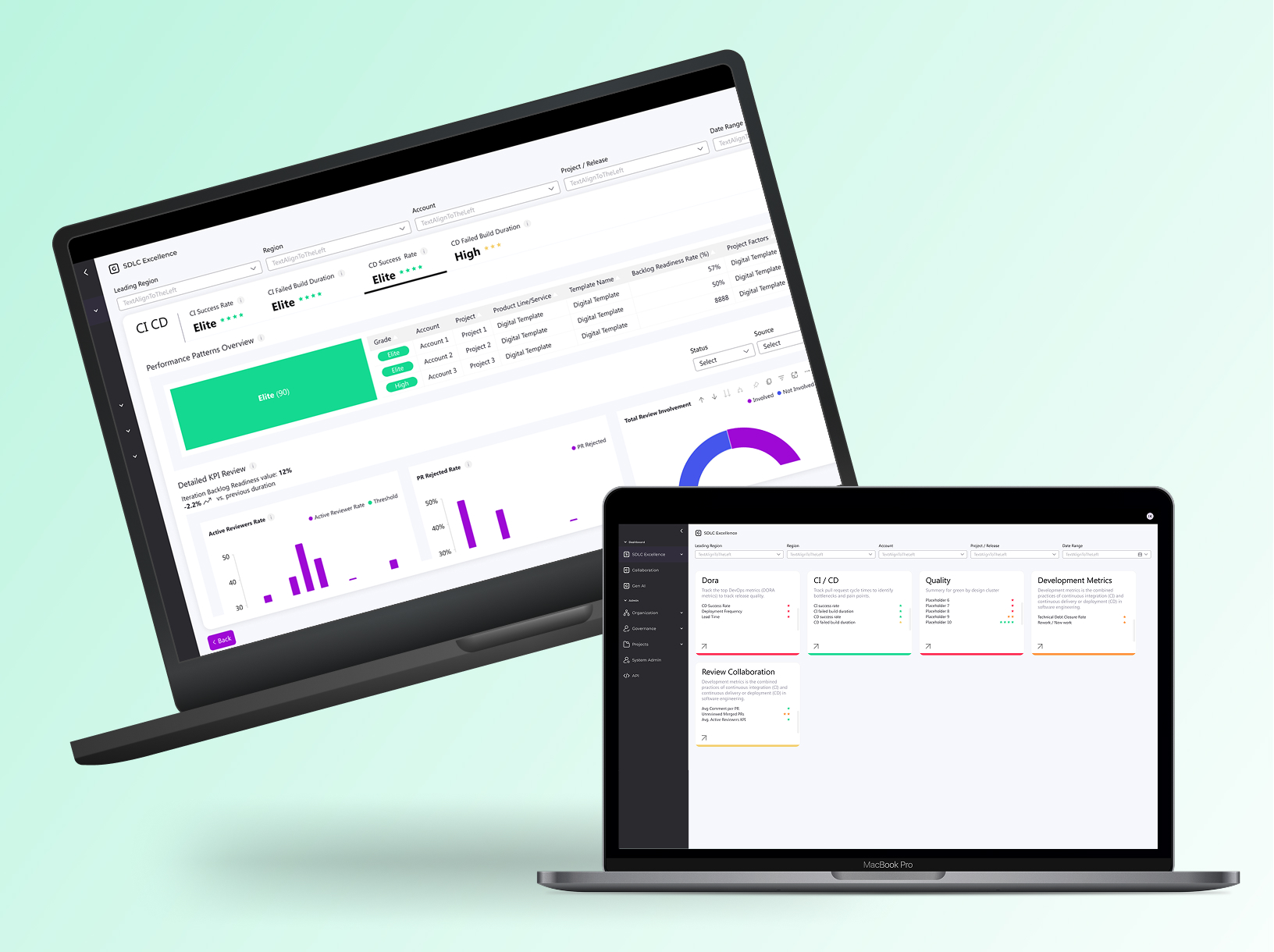
Internal configurable dashboard for dev teams and management — tracks performance, detects issues like missed deadlines/defects, and delivers evolving BI insights.

Role: UX/UI Product Designer & Researcher

Led design as the solo designer, collaborating closely with the UX/UI manager, project manager, and front-end/back-end development teams | Amdocs 2024

Organizational Context

The org manages both multi-year projects and smaller CRs under strict deadlines and contractual requirements. Any delivery or quality issue may lead to penalties, reputation damage, and customer loss.

Aim

Redesign an internal dashboard for monitoring and evaluating development process performance across the organization.The dashboard detects critical issues in real time, such as: missed deadlines, high defect rates, reduced quality, and security risks.The system has evolved to also provide analytics and business intelligence insights.

What was the challenge?

  • Diverse tech landscape – Legacy and Cloud/Digital mixed across accounts
  • Different SLAs – unique KPI needs per customer
  • Old dashboard was ineffective

Objectives

  • Early issue detection: save time, money, and resources
  • Maintain customer satisfaction: prevent rework and delays
  • Shift Left for all users: actionable business info in real time for both technical and non-technical stakeholders

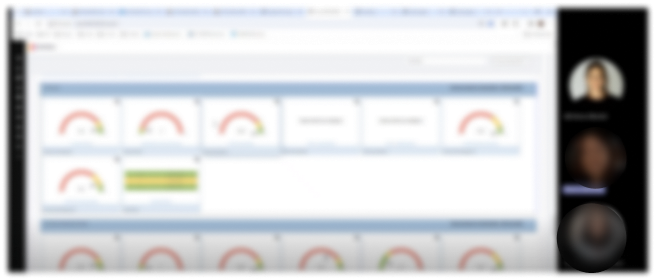
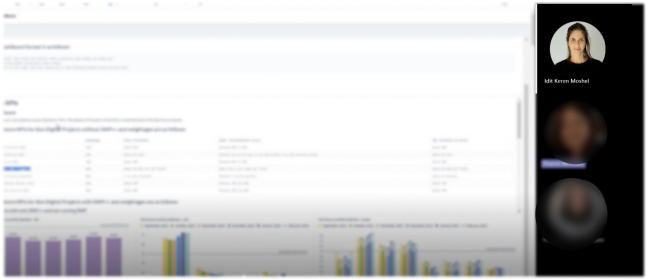
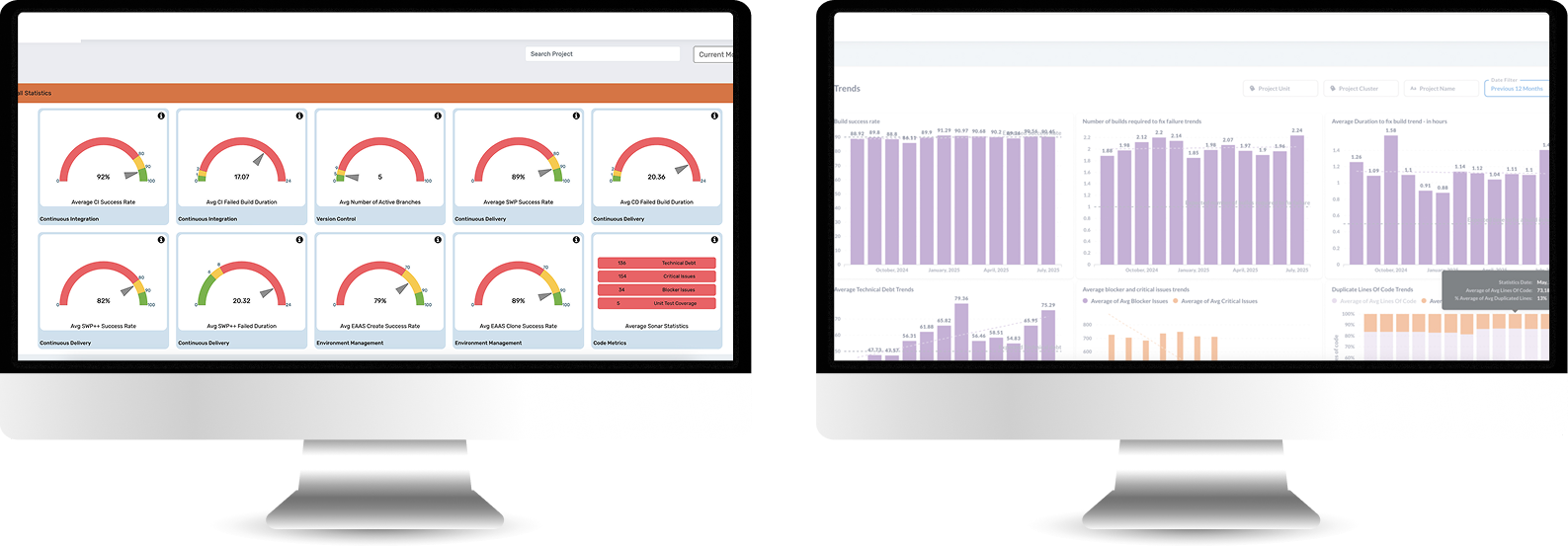
Old System look & feel

It needed to be redesign completely
Who uses the system?

Manager

Tracks organizational performance via KPIs and trends. Makes strategic decisions and receives alerts for target deviations.

Admin

Configures platform, manages users and data sources. Ensures KPI accuracy across teams.

Release Manager

Monitors project performance and trends to guide release planning and resource allocation.

Devops

Monitors CI/CD pipelines and system performance in real-time. Troubleshoots issues and responds to incidents.

Time for research

I used three research methods:

1. User Interviews

Direct conversations with users to understand their goals, workflows, and pain points in real-world contexts.

2. Card Sorting

A research method used to Reveal how users group and label information.

3. Usability Test

Observing users as they complete tasks to identify usability issues and validate design decisions.

1 . User Interviews

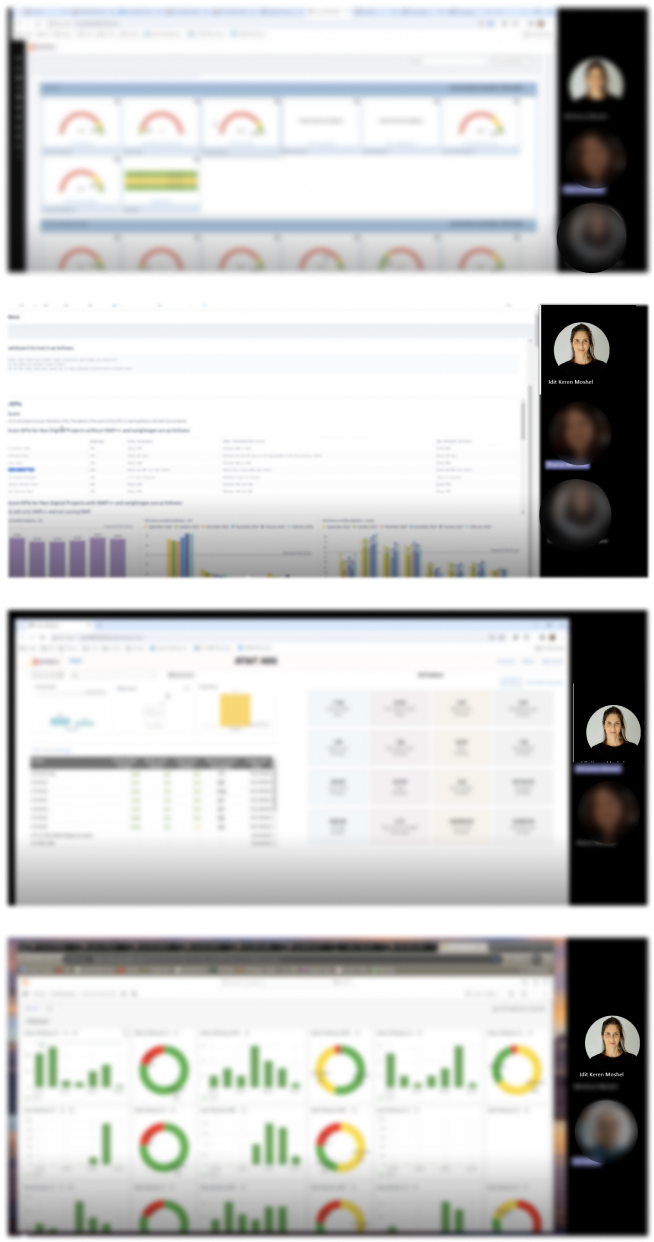
I Interviewed experienced legacy-system users to identify daily workflows and pain points.

2. Card Sorting

Organized user interview pain points and needs into clear categories.

Technology challenges

Diverse tech landscape Classic/Digital/Mix

Data analysis

No correlation between the score and the day2day

Presenting irrelevant data

Some KPI are not relevant and are still shown for the user

Data security

The system measure some KPI's partly

Integrating sources

Integrating data from diverse sources and legacy systems causes difficulty

Insights

Missing actionable insights

Missing project customization

Can’t customized project in the system easily

Missing project duplication

User Need to create new project all over again

Messy flow

User Need to manipulate the system for accurate data

Multiple Users need

I 'm getting irrelevant info according to my role

No Standardisations

Missing standardized metrics across all accounts

User friendly interface

The UI must be friendly for non-technical staff to access data

Updated KPI’s

Missing KPIs for modern DevOps, Cloud, AI

Updated platform

The system is not quickly responding to market changes

3. Usability Test

Goal: Validate Users easily find role-relevant KPIs and complete reporting tasks without workarounds.

Quant-Style Usability Results

5 out of 6 users saw KPIs that were not relevant to their role

4 out of 6 users could not explain what action to take based on the data

6 out of 6 users scanned multiple screens to complete a single task

Project & Flow

5 out of 6 users attempted to recreate an existing project instead of duplicating it

4 out of 6 users made manual adjustments to “fix” inaccurate data

Information Architecture & Insights

5 out of 6 users misinterpreted KPI labels

4 out of 6 users expected KPIs to be grouped differently than shown

0 users identified actionable insights without verbal explanation

Role & Relevance

5 out of 6 users received information irrelevant to their role

4 out of 6 users asked to hide or filter metrics they didn’t need

3 out of 6 users assumed the system was “technical-only”

Performance & Trust

4 out of 6 users questioned the accuracy of the data

3 out of 6 users did not trust the score as a decision-making tool

5 out of 6 users wanted clearer explanations or context

Information Architecture

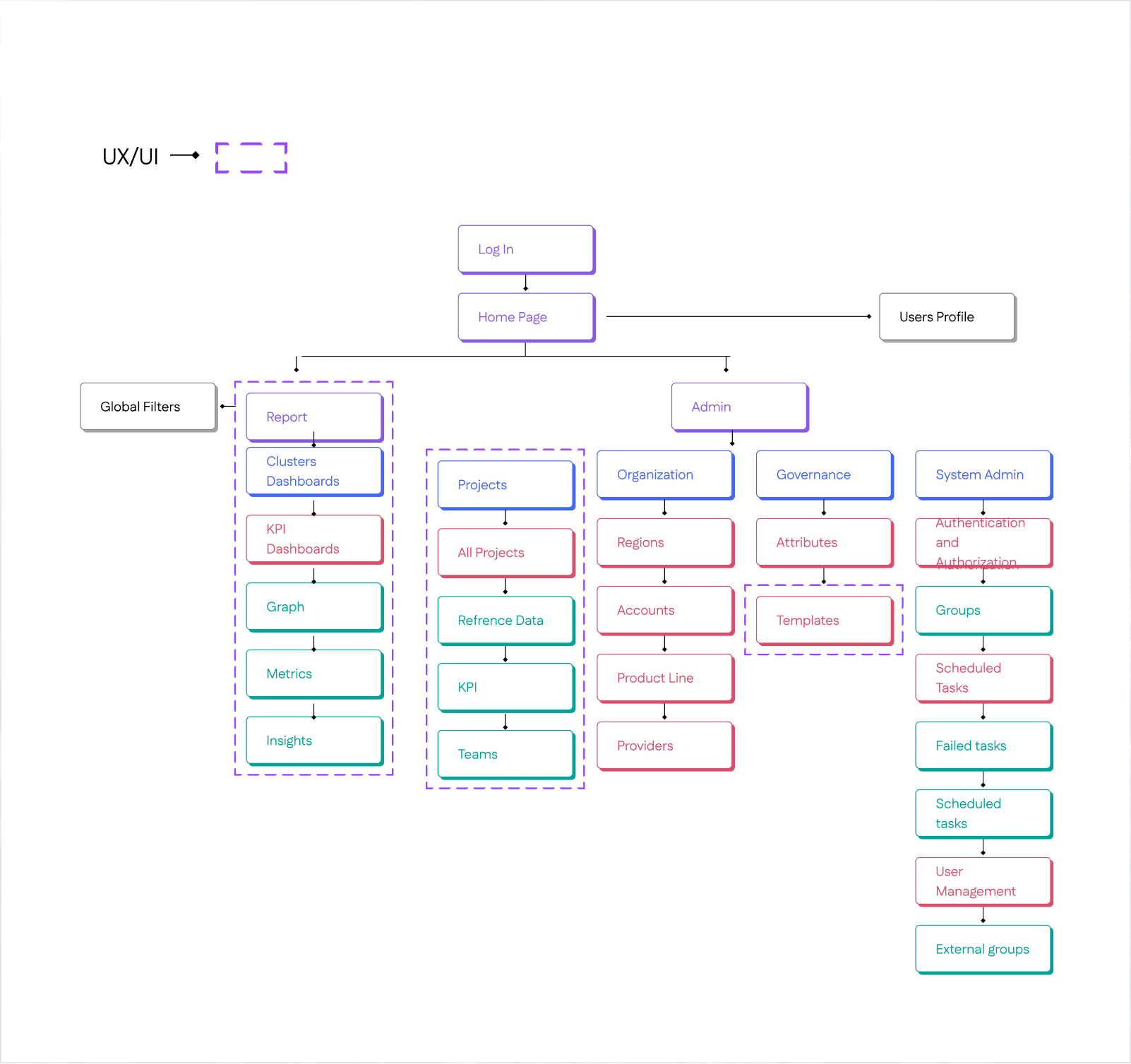
Before starting design, I created an Information Architecture to organize user flows, clarify component relationships, establish scalable patterns, and align stakeholders early.

Exploring Early Directions

Initial Testing Mockups and Design Alternatives

Early Iterations for the dashboard Evolving from rigid splits to unified flows.

Initially split Reports & Admin (later deprioritized to heater), used vertical filters, and separated template/graph views with varying data viz counts—shifted after requirements ping-pong and Power BI constraints demanded a streamlined, horizontal layout.

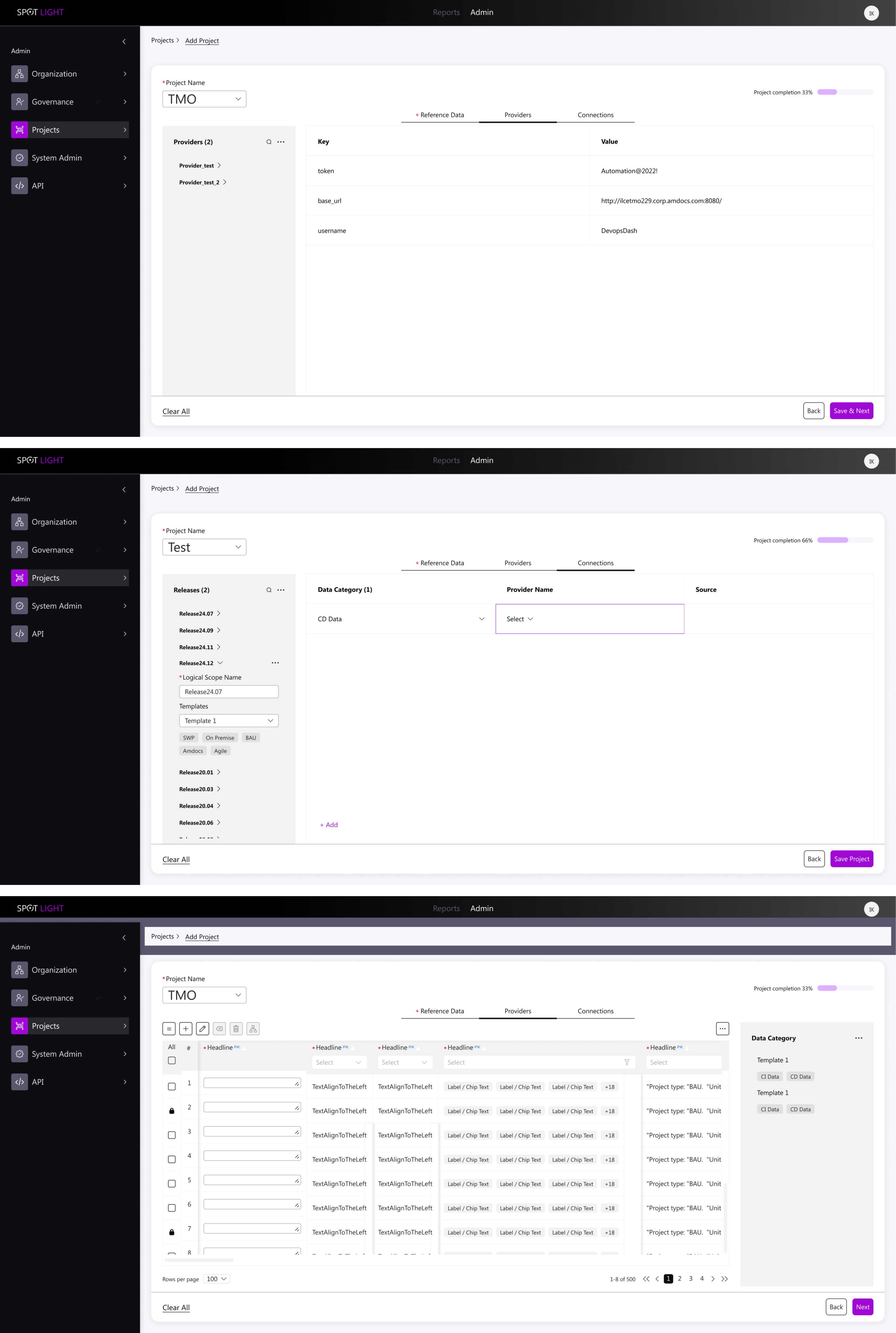
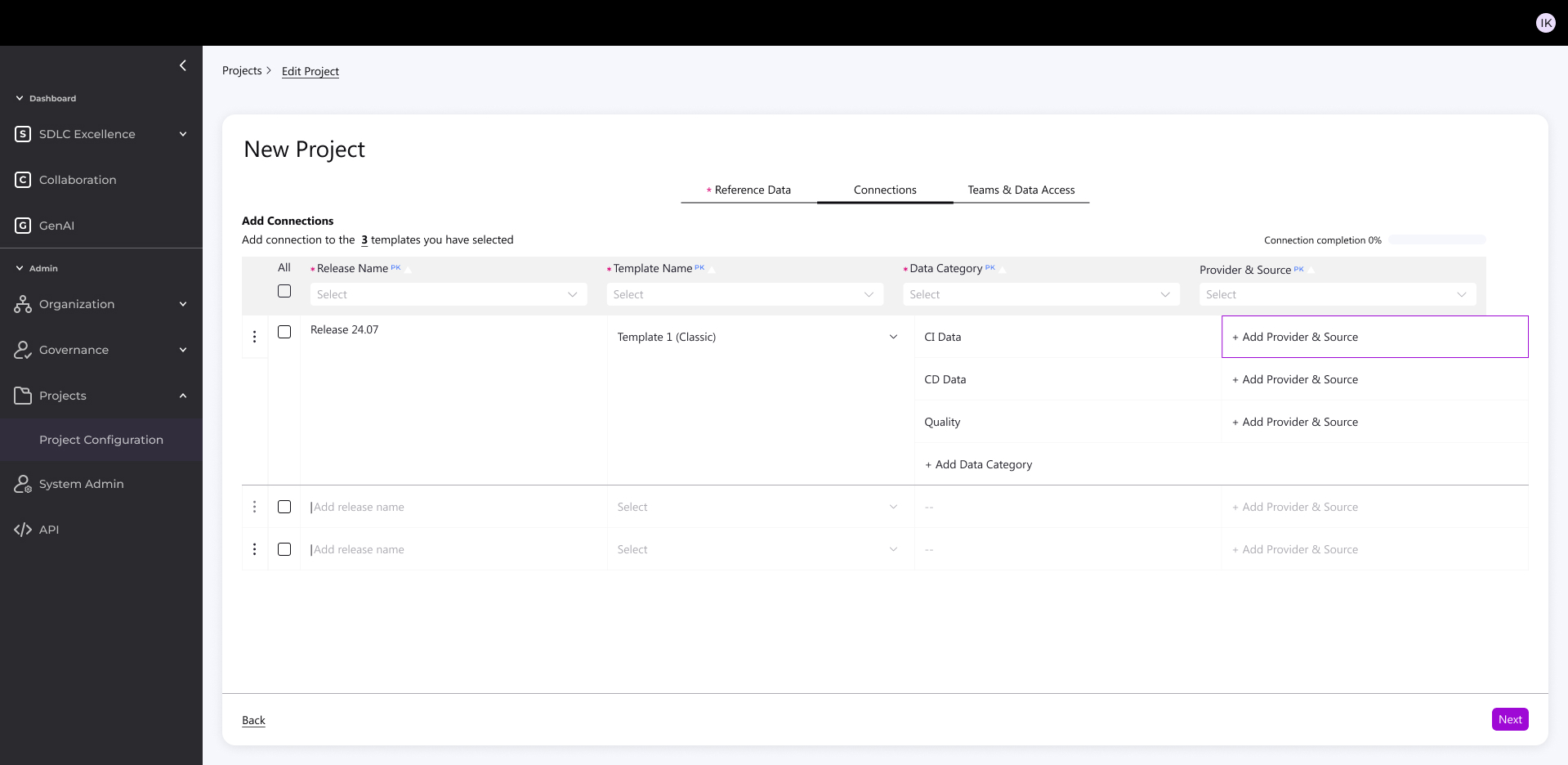
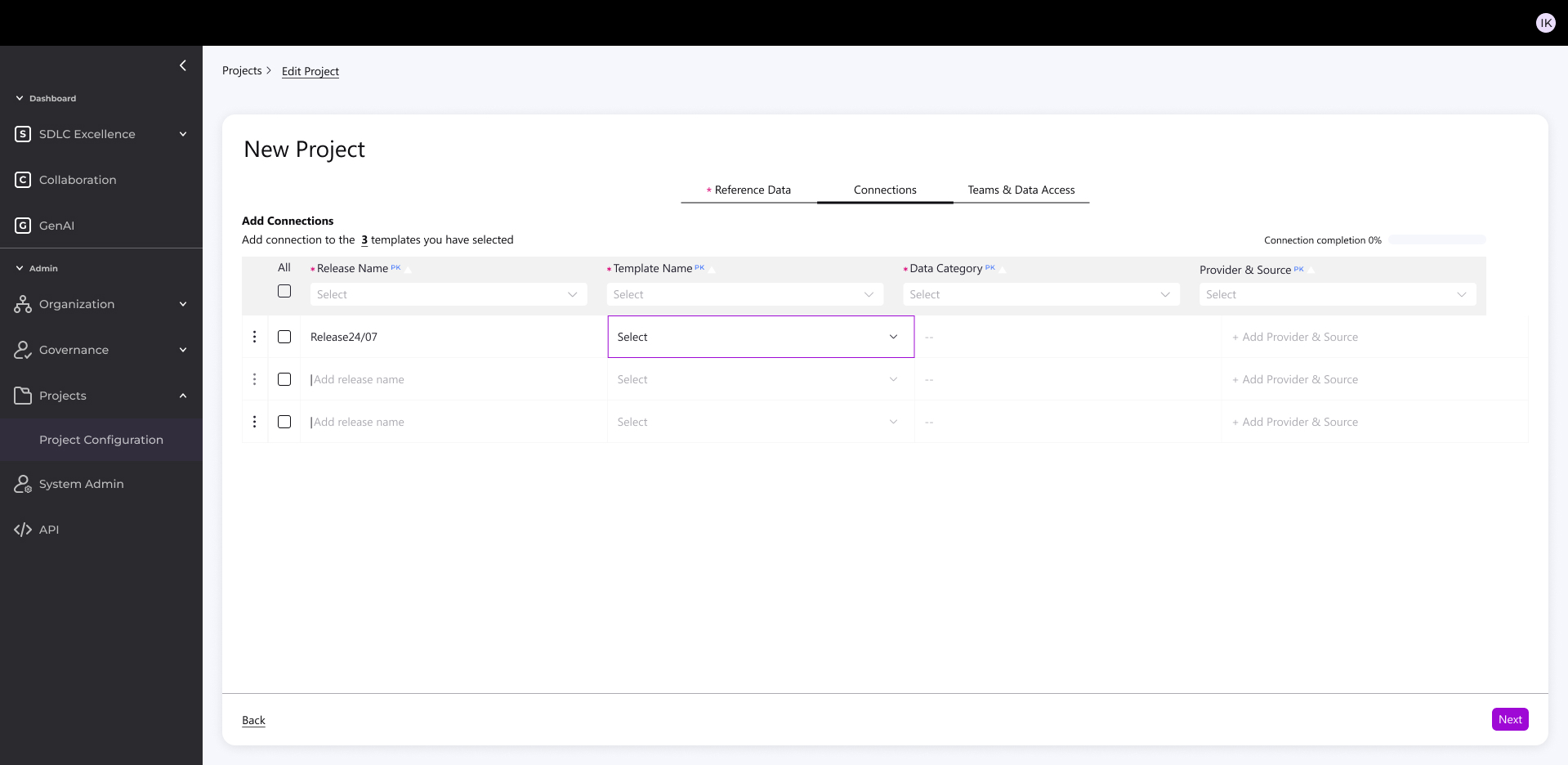
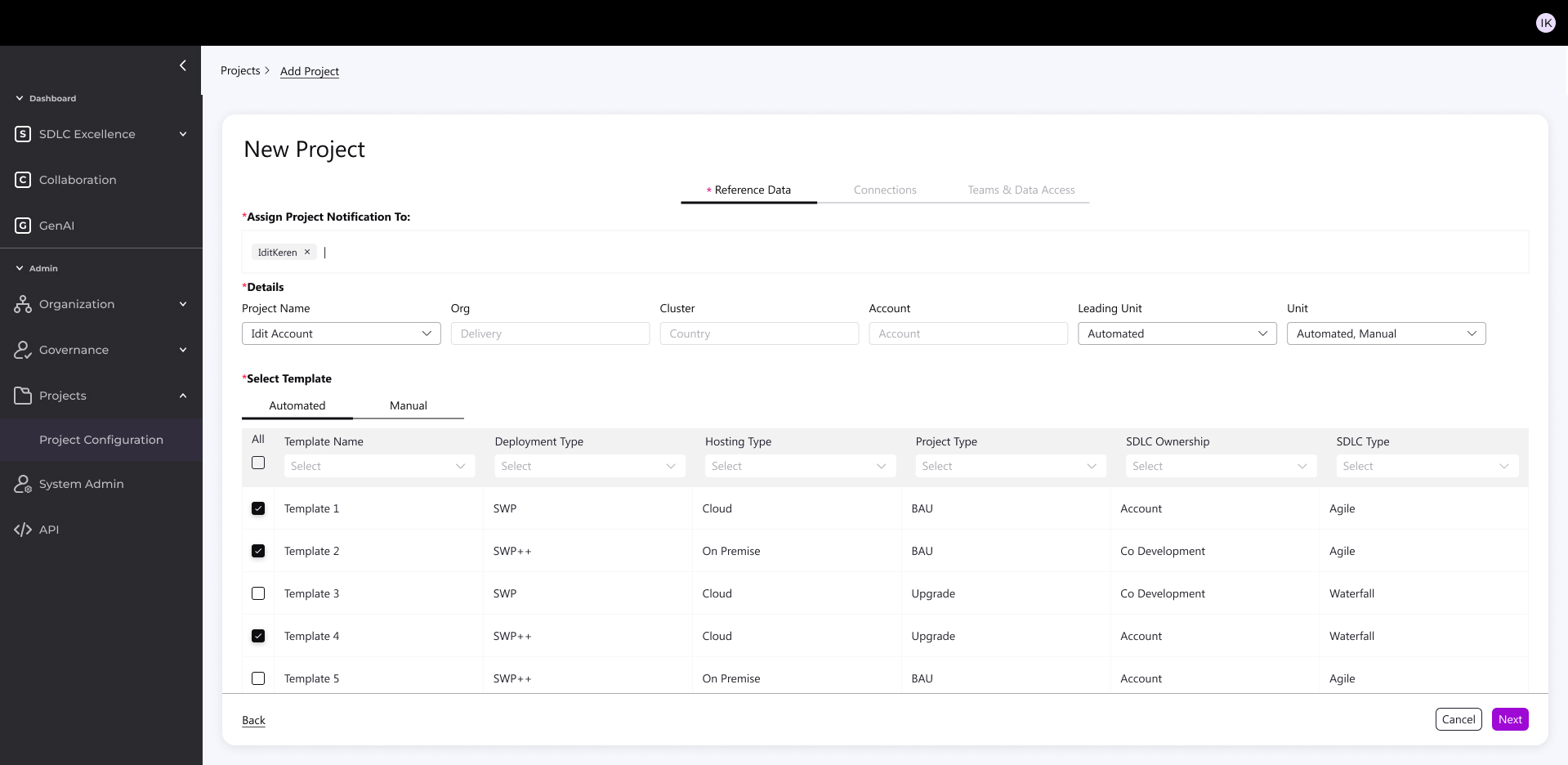
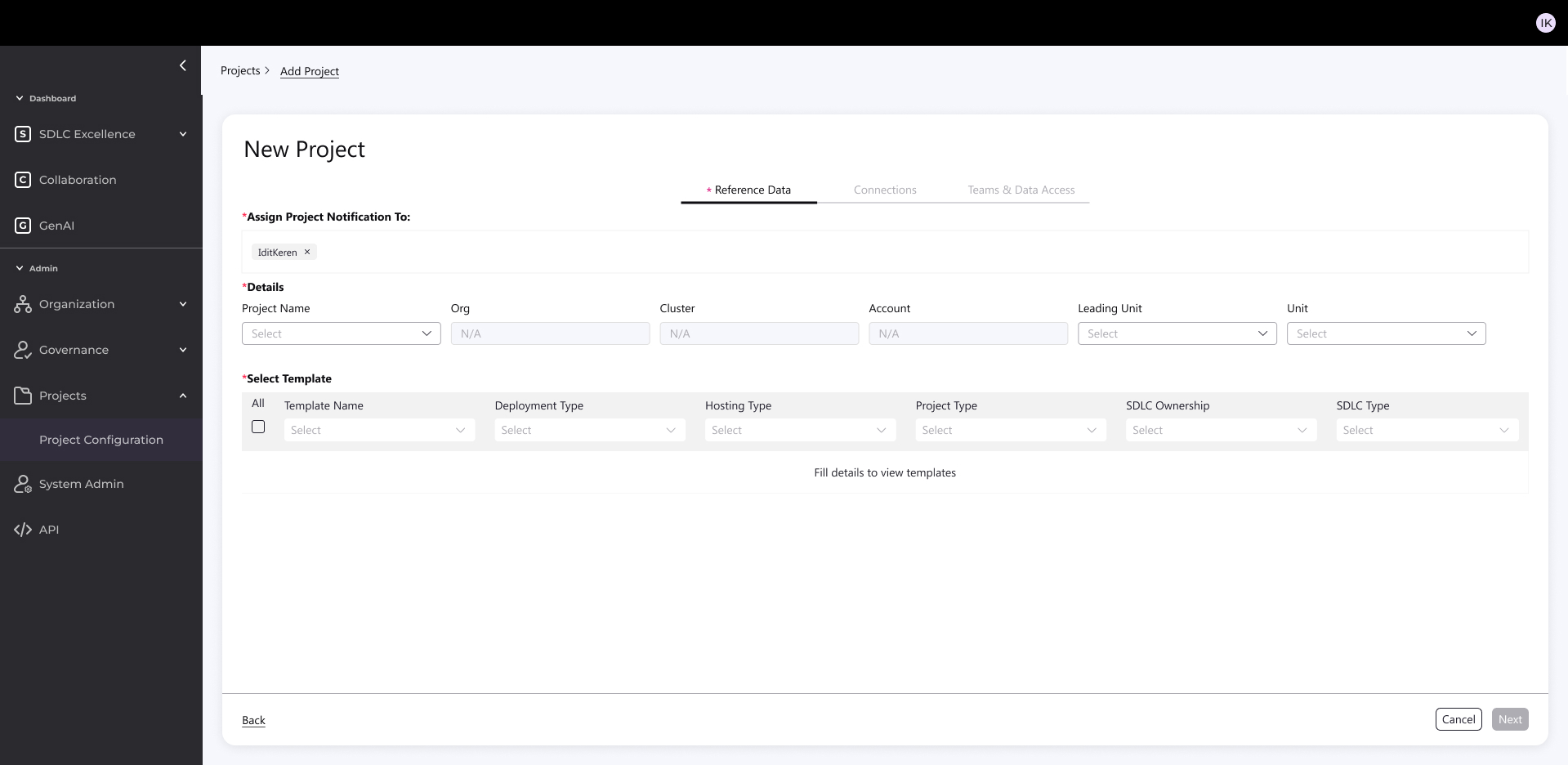
Early Iterations For New Project Creation Flow

Started with dense, dependency-heavy forms (top-left mockups): Tried all-in-one screens and split tables, but interdependencies between steps (e.g., notifications → templates) made it overwhelming.

Explored 2-step variants (bottom mockups): Simplified to sequential inputs, but still felt fragmented.

Key Principles of the New System

  • KPI alignment with Cloud, AI, and DevOps best practices in the industry
  • Standardization of metrics – a unified “measurement bar” across accounts for simplicity and cross-project management
  • Full flexibility – enabling accurate measurement per account without sacrificing the unified organizational view

Redesign Foundation: Two Main Components

  1. Flexible, Smart Backend 

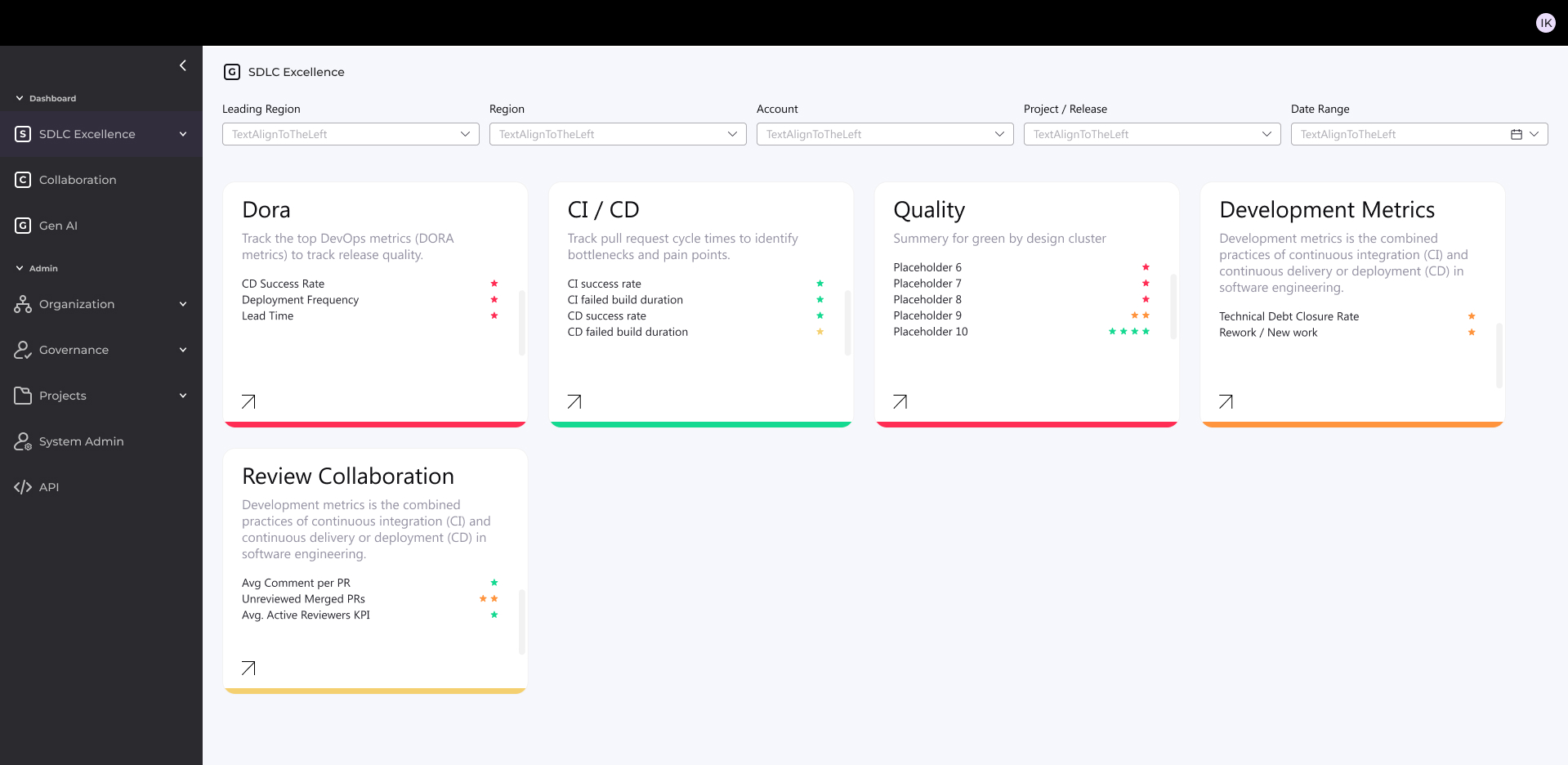
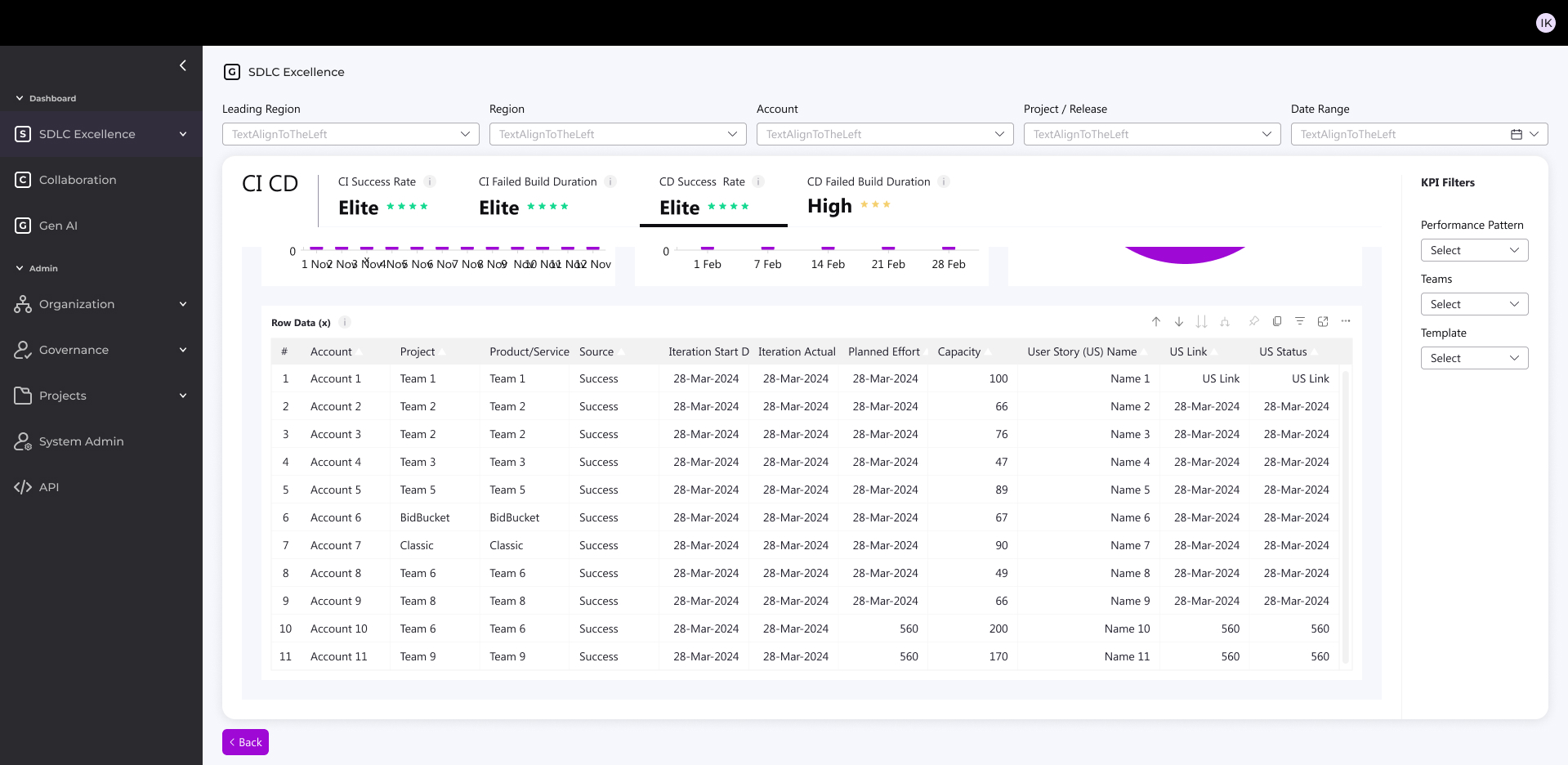
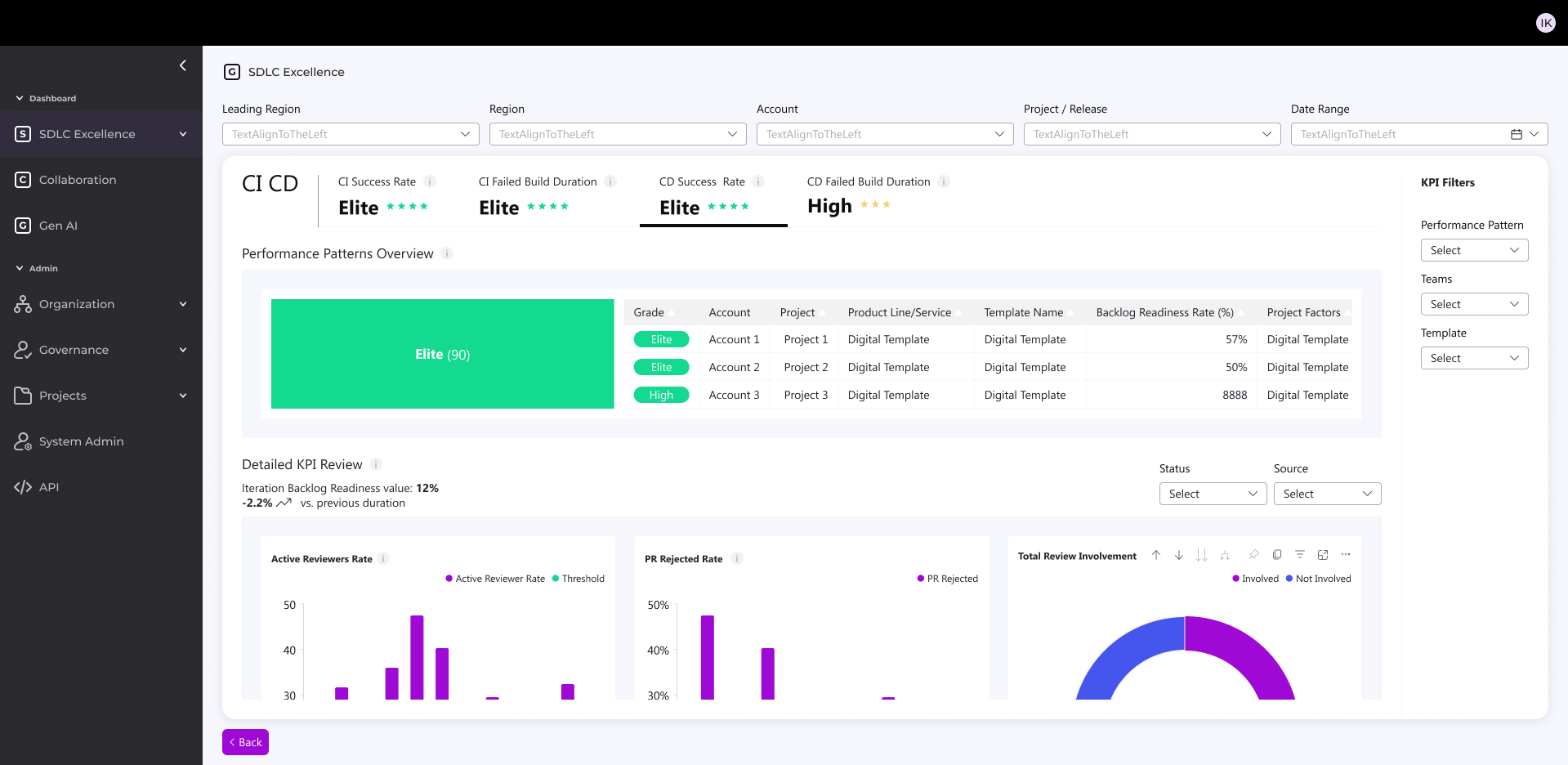
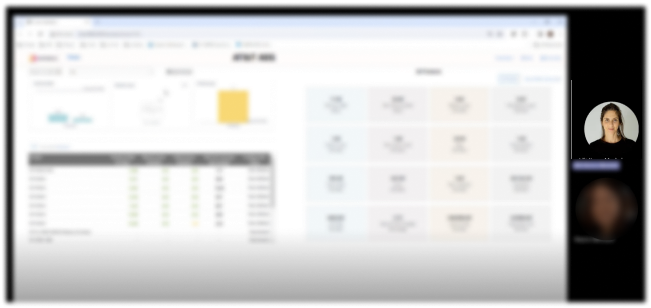
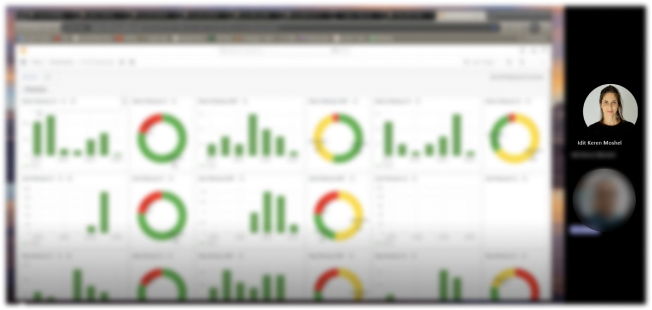
Glimpse from the new design

  • Accurate, standardized measurement across all accounts
  • Early detection of issues → significant cost savings
  • Unified, intuitive user experience for both managers and technical staff
  • Sustainable, flexible visualization framework based on joint research with the development team

Backend Design

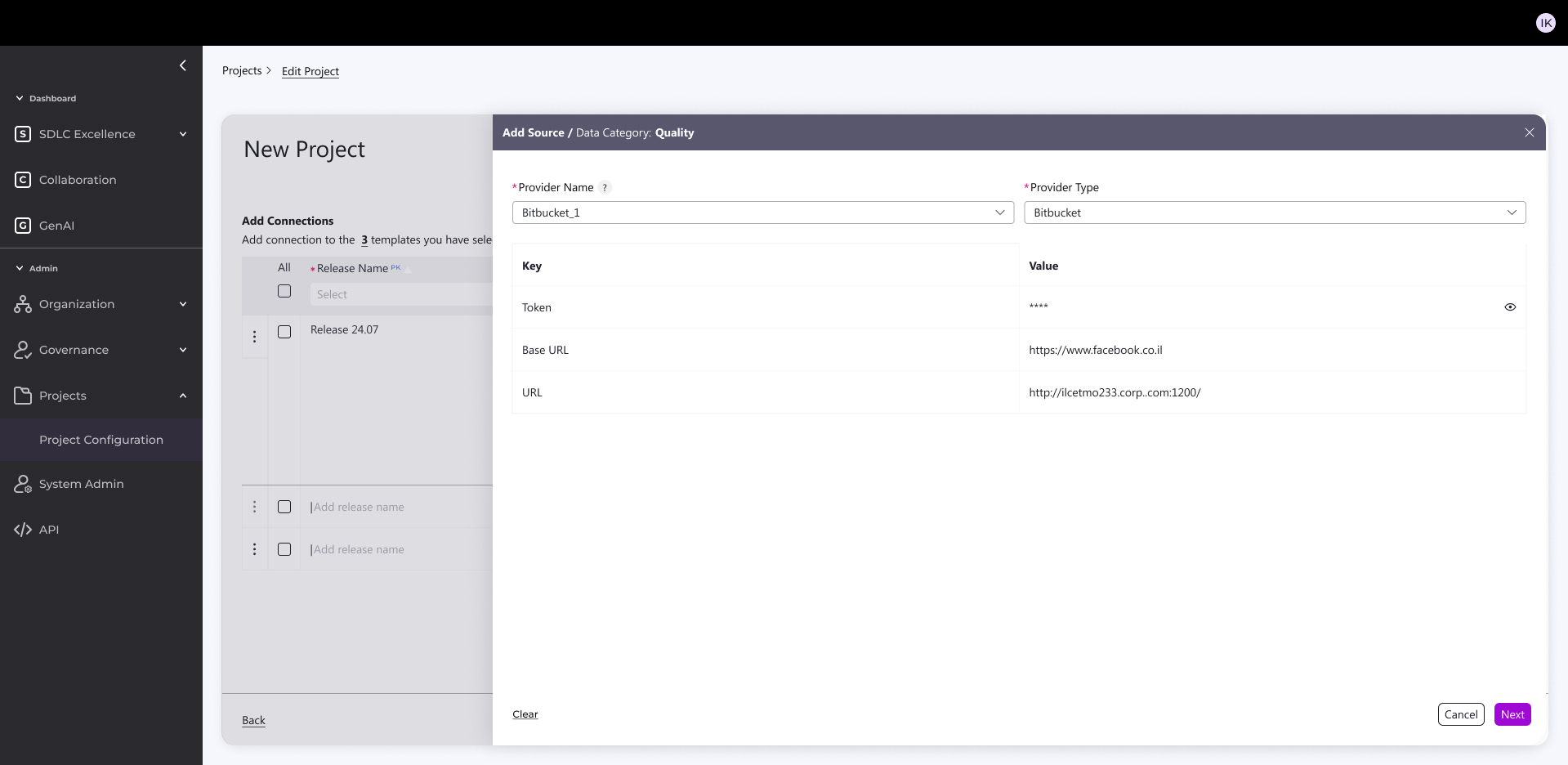
Built simple admin KPI source connector for accounts/projects from CI/CD platforms 

What it does:

  • Pulls in real metrics from CI/CD platforms (Jenkins, GitHub, Bitbucket)
  • Grabs task tracking data (Jira tickets, sprints, velocity)
  • All configurable per account + per project

How I built it:

  • React-based config screens
  • 5 clean integrations ready to go
  • One admin dashboard to manage everything

Result: No more manual CSV uploads or custom scripts—admins just click, connect, and see live KPIs across their projects.

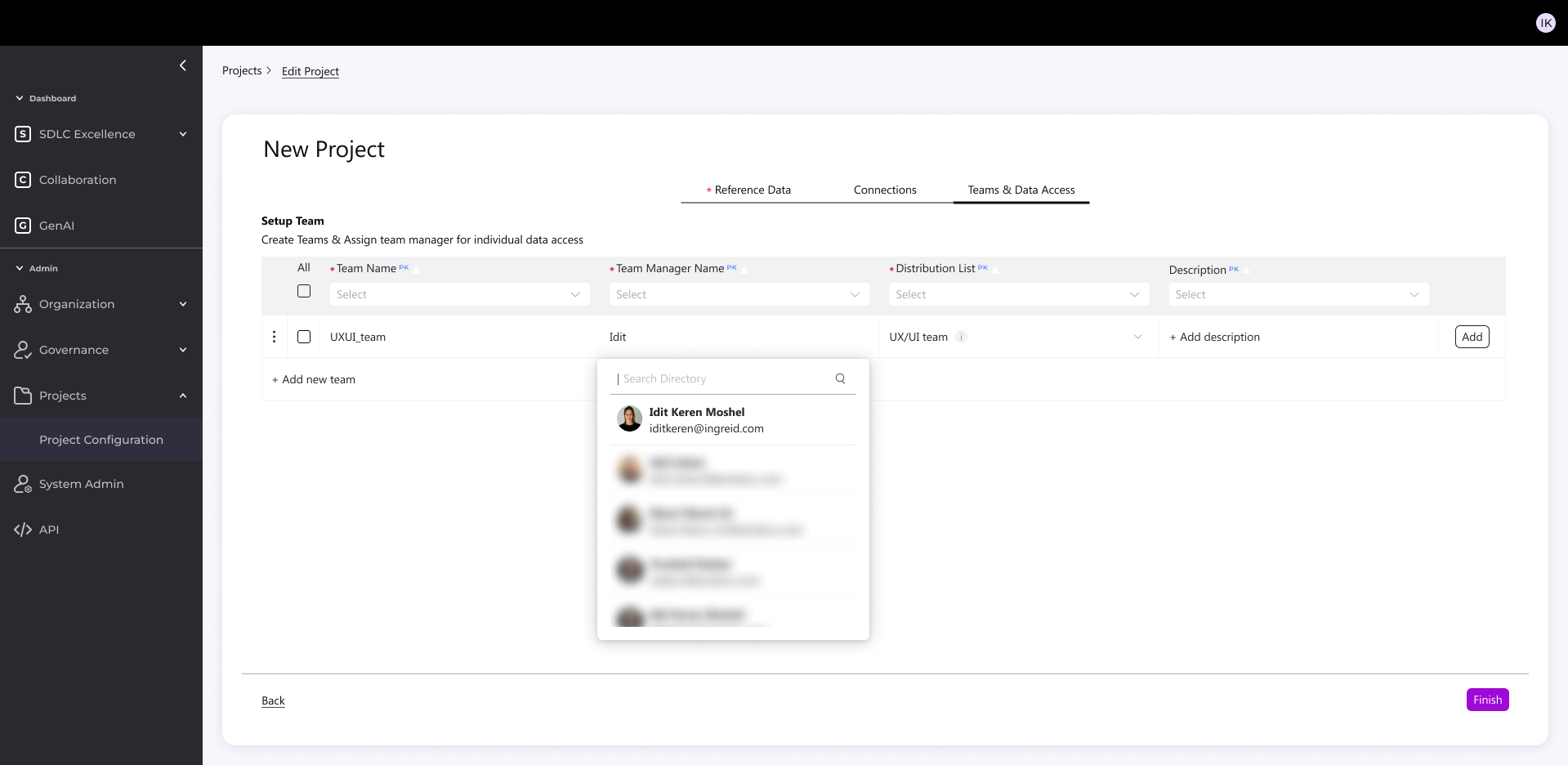
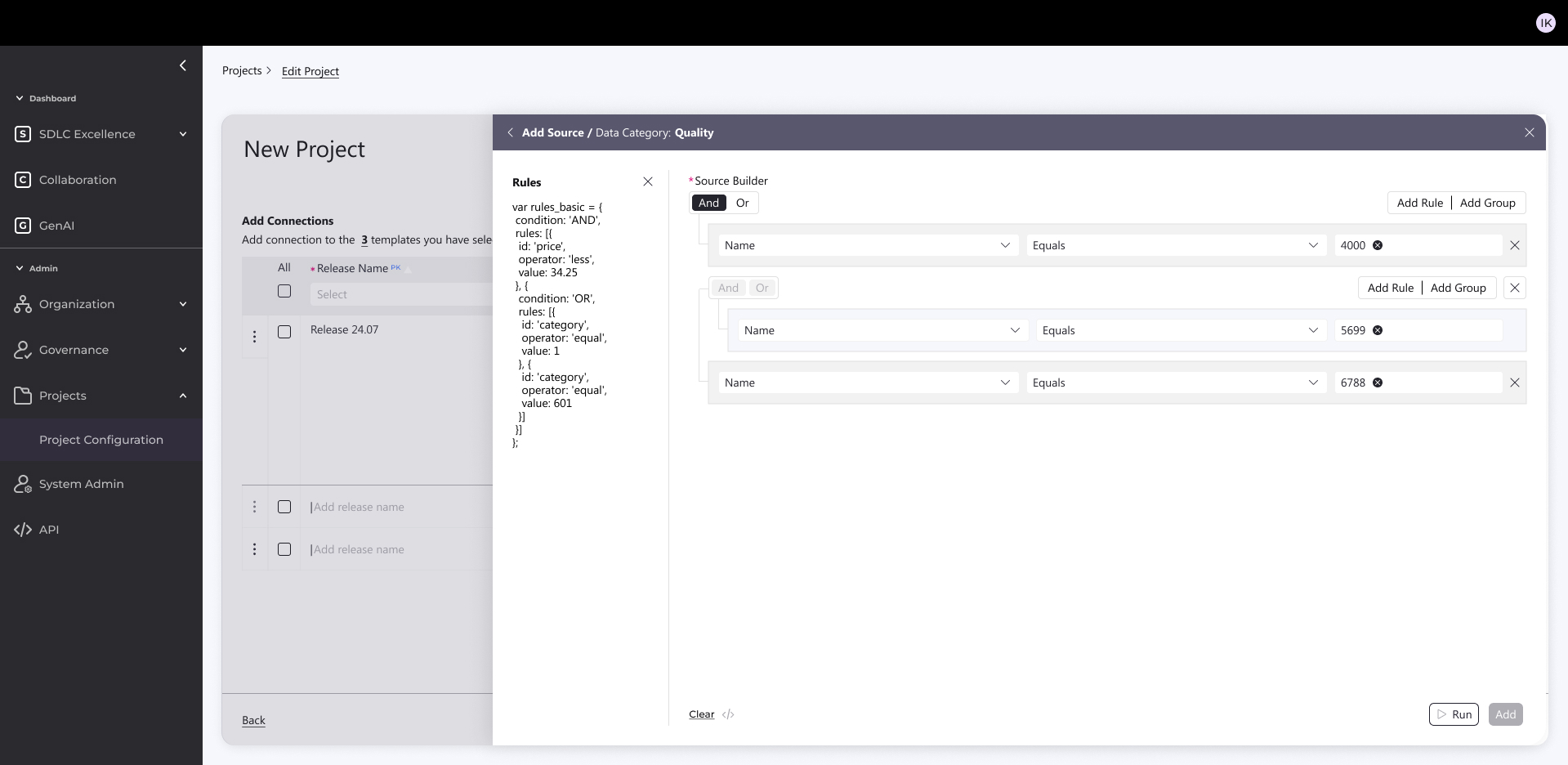
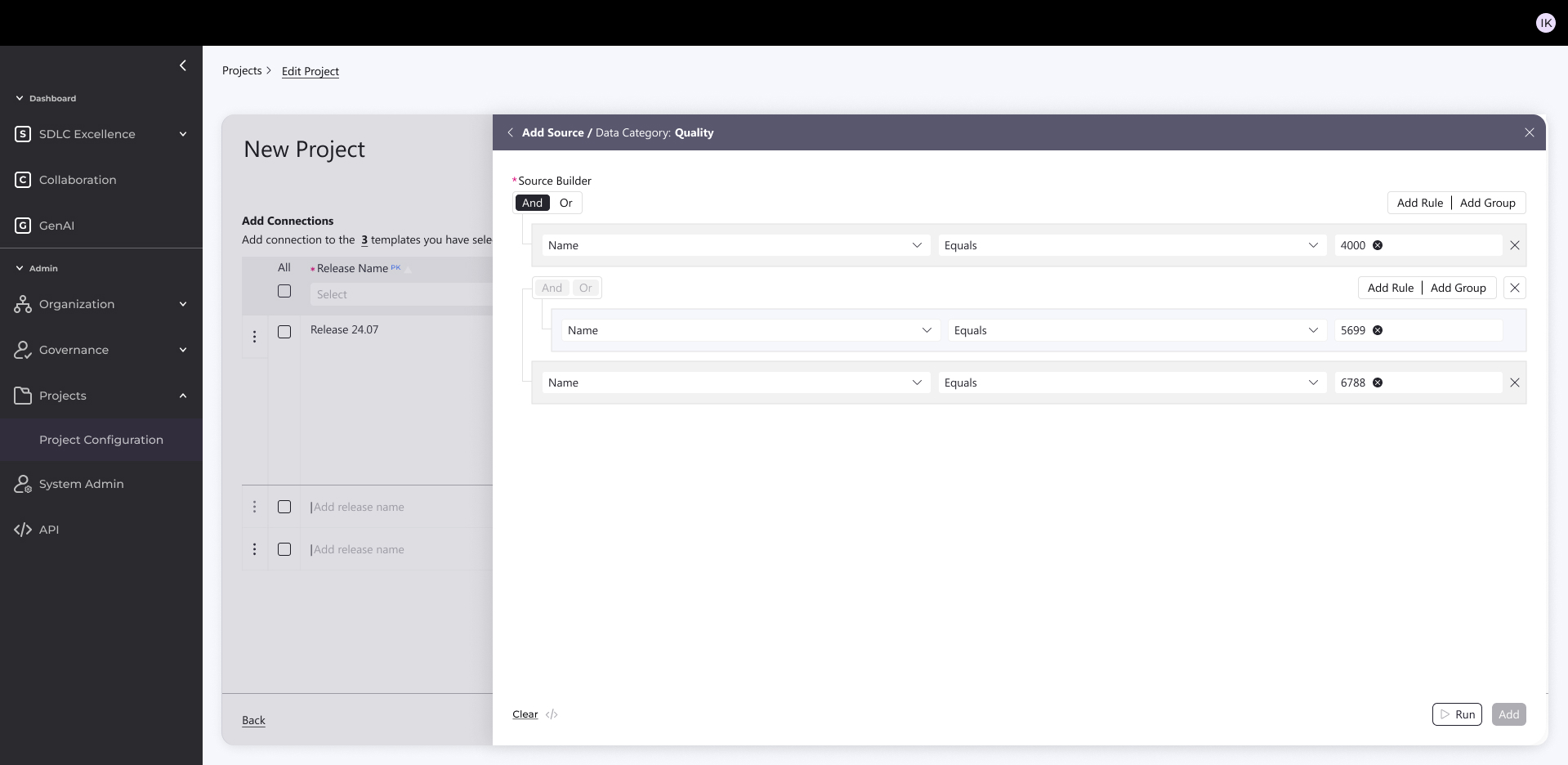
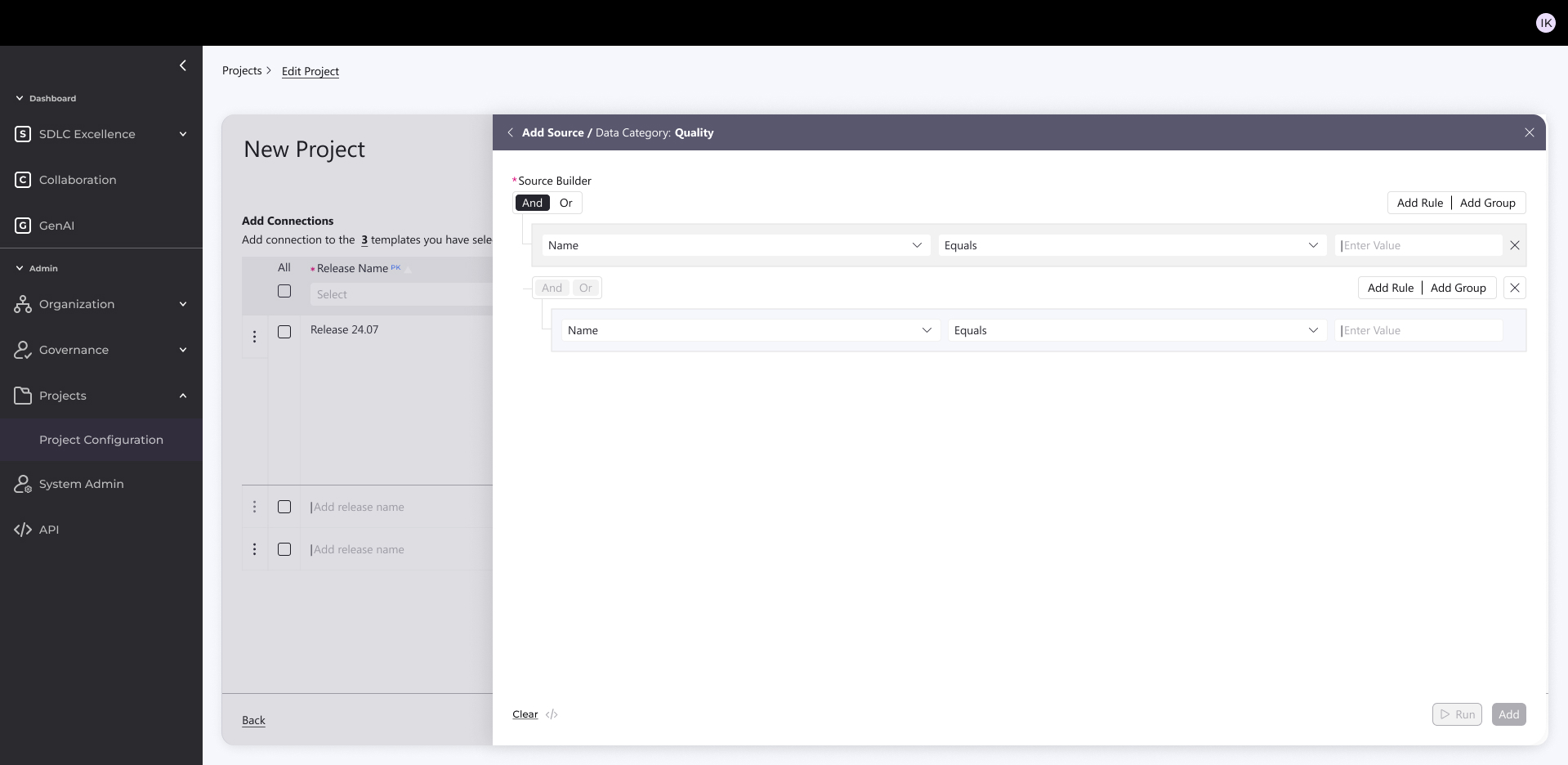
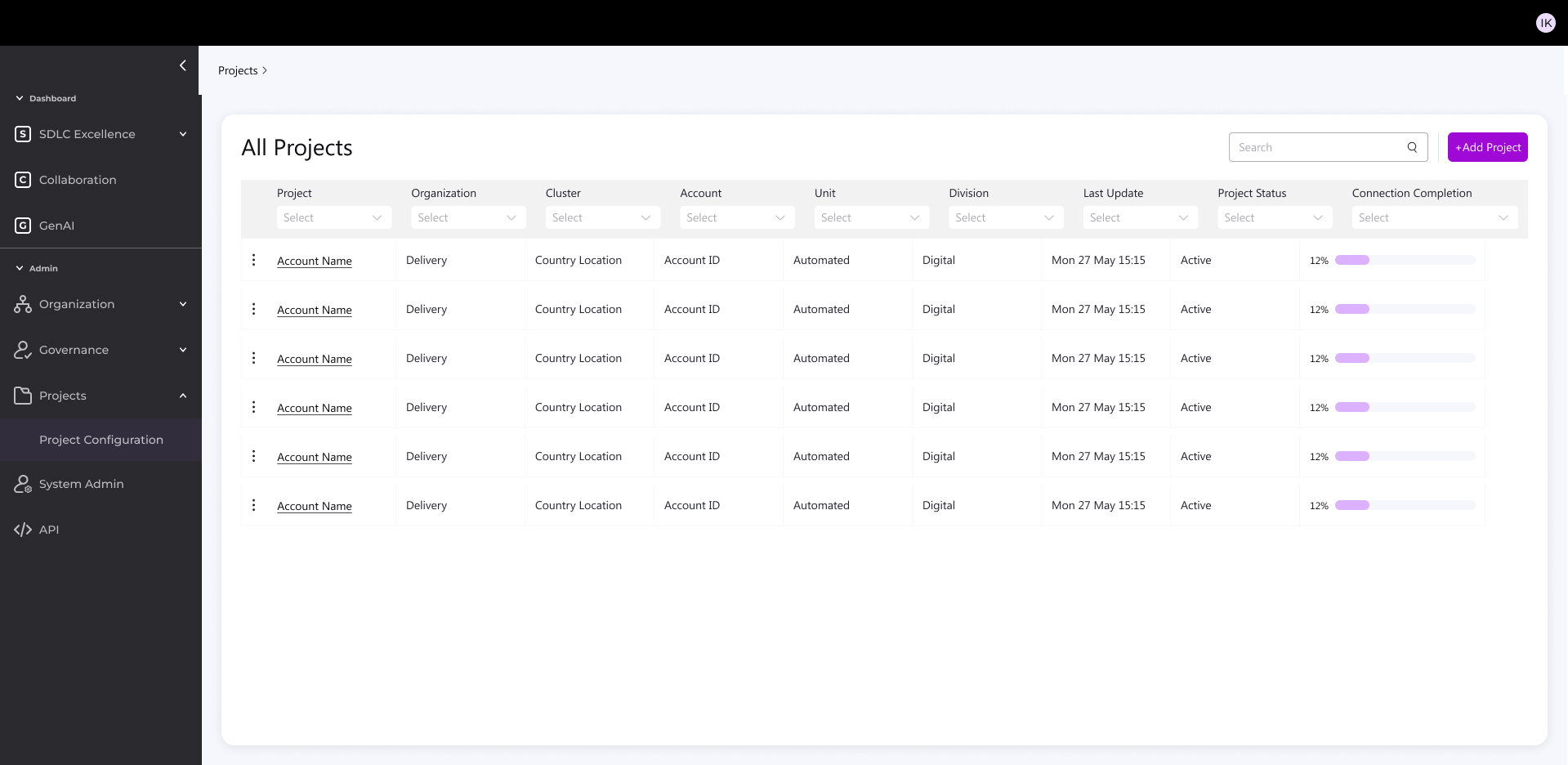
Feature Highlight: New Project Creation

Built simple admin KPI source connector for accounts/projects from CI/CD platforms 

The Challenge:

  • Creating a new project used to be:
  • Complex and highly technical
  • Time-consuming (connections, filtering, configuration)
  • Difficult to scale across diverse environments (Cloud, Legacy, Agile, Hybrid)

The Solution:

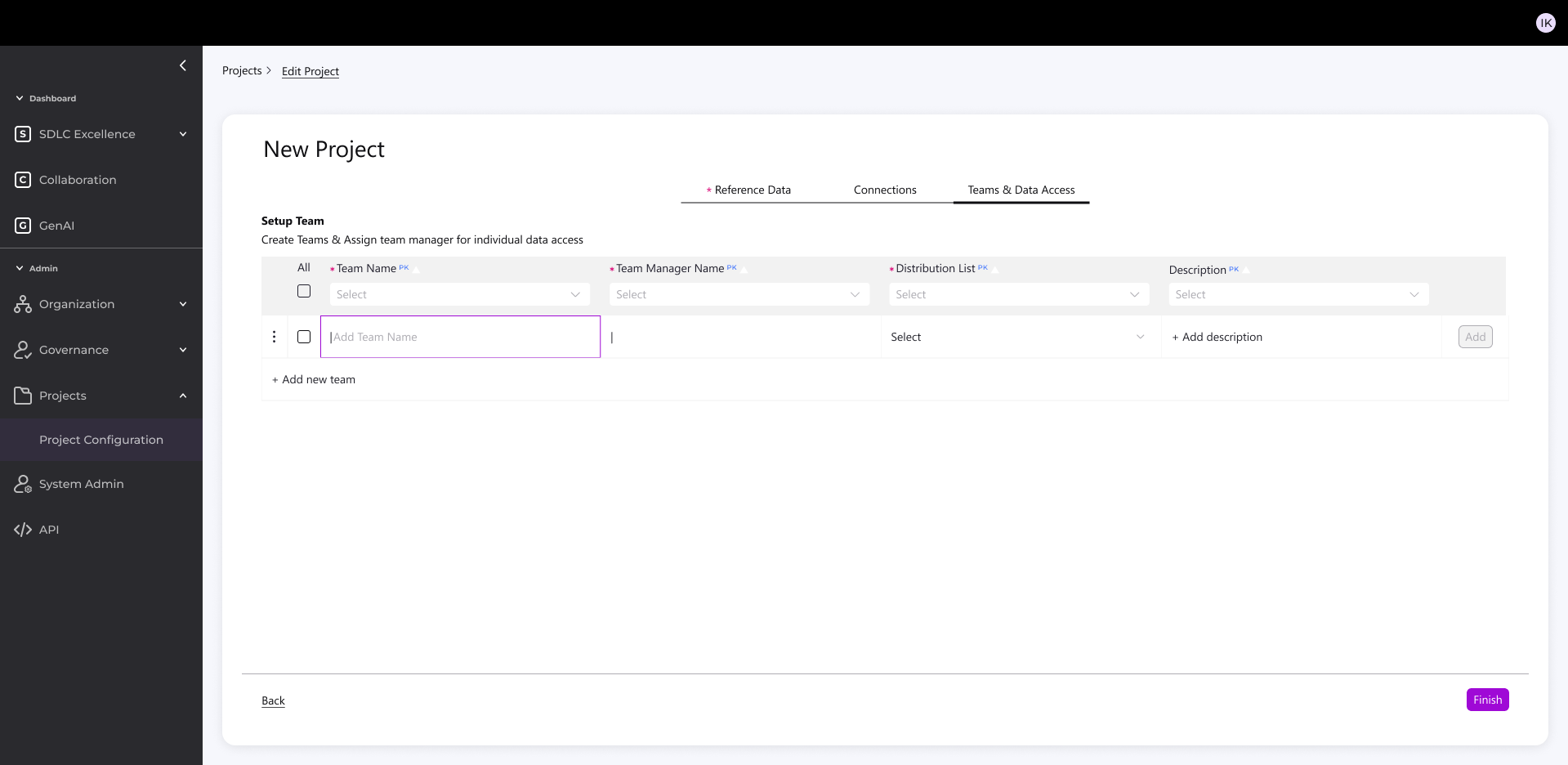
  • I designed a 3-step, intuitive process accessible to both technical and non-technical users:

1. Parameters & Template

Enter key account settings (tech, methodology, etc.)

System suggests the right template

Supports mixed environments (Legacy + Digital)

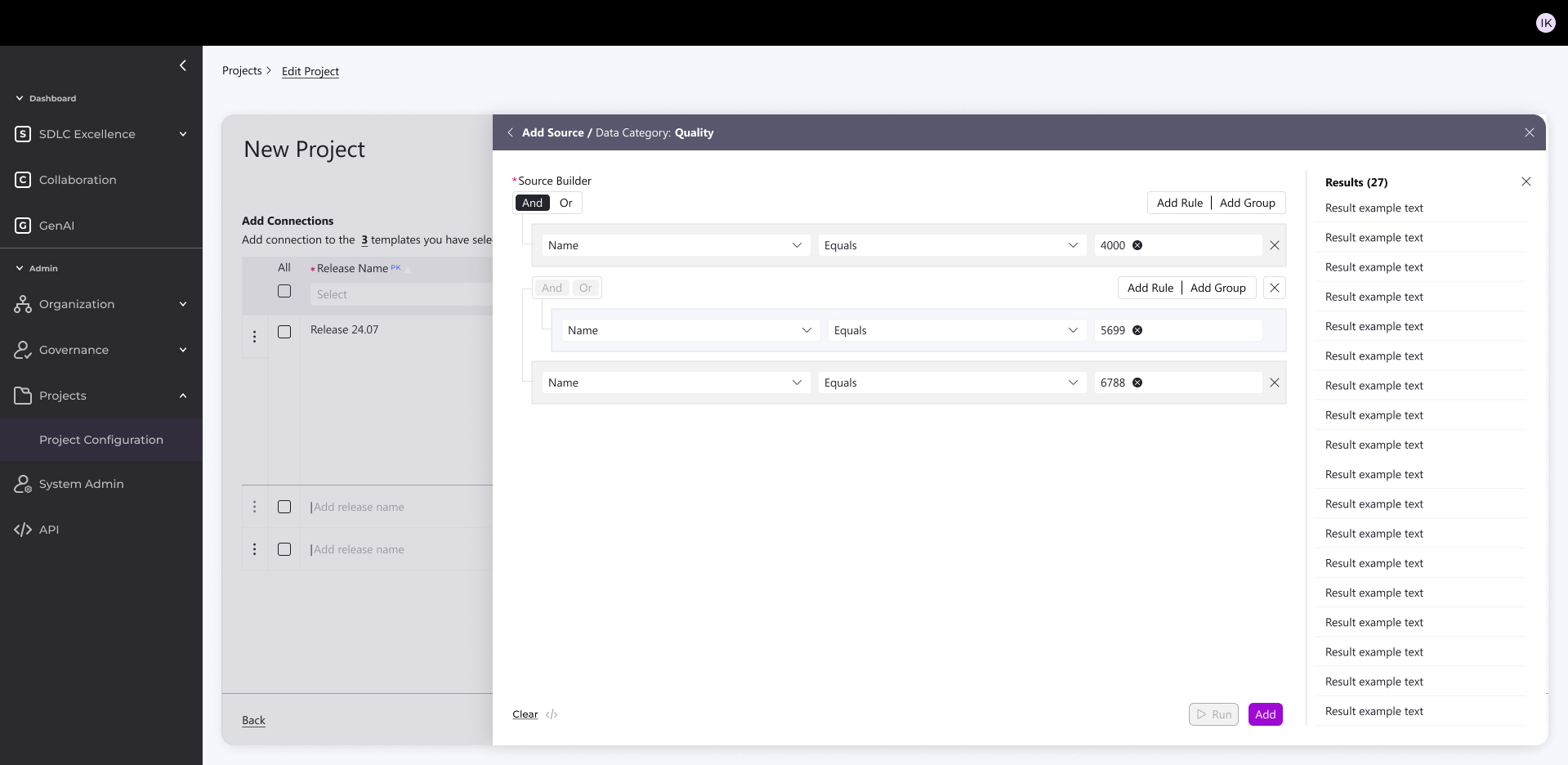
2. Data Connection & Configuration

Auto-connect to sources (Jenkins, Jira, GitHub, etc.)

Smart filtering → creates a “mini database” for efficient KPIs

Targeted queries down to product level with exclusions

Reuses existing connections to speed setup

3. Team & Notifications

Auto-link to distribution lists

Targeted project notifications

Outcome

  • 1 hour setup (even with complex validations)
  • Easy version cloning with validations
  • Balanced standardization + flexibility
  • Reduced technical overhead
  • More accessible, intuitive process for all users

Works

Velocity Hub

Development Performance Dashboard

An illustrative sketch of a flower

Internal configurable dashboard for dev teams and management — tracks performance, detects issues like missed deadlines/defects, and delivers evolving BI insights.

Role: UX/UI Product Designer & Researcher

Led design as the solo designer, collaborating closely with the UX/UI manager, project manager, and front-end/back-end development teams | Amdocs 2024

Organizational Context

The org manages both multi-year projects and smaller CRs under strict deadlines and contractual requirements. Any delivery or quality issue may lead to penalties, reputation damage, and customer loss.

Aim

Redesign an internal dashboard for monitoring and evaluating development process performance across the organization.The dashboard detects critical issues in real time, such as: missed deadlines, high defect rates, reduced quality, and security risks.The system has evolved to also provide analytics and business intelligence insights.

What was the challenge?

  • Diverse tech landscape – Legacy and Cloud/Digital mixed across accounts
  • Different SLAs – unique KPI needs per customer
  • Old dashboard was ineffective

Objectives

  • Early issue detection: save time, money, and resources
  • Maintain customer satisfaction: prevent rework and delays
  • Shift Left for all users: actionable business info in real time for both technical and non-technical stakeholders

Old System look & feel

It needed to be redesign completely

Who uses the system?

Manager

Tracks organizational performance via KPIs and trends. Makes strategic decisions and receives alerts for target deviations.

Admin

Configures platform, manages users and data sources. Ensures KPI accuracy across teams.

Release Manager

Monitors project performance and trends to guide release planning and resource allocation.

Devops

Monitors CI/CD pipelines and system performance in real-time. Troubleshoots issues and responds to incidents.

Time for research

I used three research methods:

1. User Interviews

Direct conversations with users to understand their goals, workflows, and pain points in real-world contexts.

2. Card Sorting

A research method used to Reveal how users group and label information.

3. Usability Test

Observing users as they complete tasks to identify usability issues and validate design decisions.

1 . User Interviews

I Interviewed experienced legacy-system users to identify daily workflows and pain points.

2. Card Sorting

Organized user interview pain points and needs into clear categories.

Technology challenges

Diverse tech landscape Classic/Digital/Mix

Data analysis

No correlation between the score and the day2day

Presenting irrelevant data

Some KPI are not relevant and are still shown for the user

Data security

The system measure some KPI's partly

Integrating sources

Integrating data from diverse sources and legacy systems causes difficulty

Insights

Missing actionable insights

Missing project customization

Can’t customized project in the system easily

Missing project duplication

User Need to create new project all over again

Messy flow

User Need to manipulate the system for accurate data

Multiple Users need

I 'm getting irrelevant info according to my role

No Standardisations

Missing standardized metrics across all accounts

User friendly interface

The UI must be friendly for non-technical staff to access data

Updated KPI’s

Missing KPIs for modern DevOps, Cloud, AI

Updated platform

The system is not quickly responding to market changes

3. Usability Test

Goal: Validate Users easily find role-relevant KPIs and complete reporting tasks without workarounds.

Quant-Style Usability Results

5 out of 6 users saw KPIs that were not relevant to their role

4 out of 6 users could not explain what action to take based on the data

6 out of 6 users scanned multiple screens to complete a single task

Project & Flow

5 out of 6 users attempted to recreate an existing project instead of duplicating it

4 out of 6 users made manual adjustments to “fix” inaccurate data

Information Architecture & Insights

5 out of 6 users misinterpreted KPI labels

4 out of 6 users expected KPIs to be grouped differently than shown

0 users identified actionable insights without verbal explanation

Role & Relevance

5 out of 6 users received information irrelevant to their role

4 out of 6 users asked to hide or filter metrics they didn’t need

3 out of 6 users assumed the system was “technical-only”

Performance & Trust

4 out of 6 users questioned the accuracy of the data

3 out of 6 users did not trust the score as a decision-making tool

5 out of 6 users wanted clearer explanations or context

Information Architecture

Before starting design, I created an Information Architecture to organize user flows, clarify component relationships, establish scalable patterns, and align stakeholders early.

Exploring Early Directions

Initial Testing Mockups and Design Alternatives

Early Iterations for the dashboard Evolving from rigid splits to unified flows.

Initially split Reports & Admin (later deprioritized to heater), used vertical filters, and separated template/graph views with varying data viz counts—shifted after requirements ping-pong and Power BI constraints demanded a streamlined, horizontal layout.

Early Iterations For New Project Creation Flow

Started with dense, dependency-heavy forms (top-left mockups): Tried all-in-one screens and split tables, but interdependencies between steps (e.g., notifications → templates) made it overwhelming.

Explored 2-step variants (bottom mockups): Simplified to sequential inputs, but still felt fragmented.

Key Principles of the New System

  • KPI alignment with Cloud, AI, and DevOps best practices in the industry
  • Standardization of metrics – a unified “measurement bar” across accounts for simplicity and cross-project management
  • Full flexibility – enabling accurate measurement per account without sacrificing the unified organizational view

Redesign Foundation: Two Main Components

  1. Flexible, Smart Backend 

Glimpse from the new design

  • Accurate, standardized measurement across all accounts
  • Early detection of issues → significant cost savings
  • Unified, intuitive user experience for both managers and technical staff
  • Sustainable, flexible visualization framework based on joint research with the development team

Backend Design

Built simple admin KPI source connector for accounts/projects from CI/CD platforms 

What it does:

  • Pulls in real metrics from CI/CD platforms (Jenkins, GitHub, Bitbucket)
  • Grabs task tracking data (Jira tickets, sprints, velocity)
  • All configurable per account + per project

How I built it:

  • React-based config screens
  • 5 clean integrations ready to go
  • One admin dashboard to manage everything

Result: No more manual CSV uploads or custom scripts—admins just click, connect, and see live KPIs across their projects.

Feature Highlight: New Project Creation

Built simple admin KPI source connector for accounts/projects from CI/CD platforms 

The Challenge:

  • Creating a new project used to be:
  • Complex and highly technical
  • Time-consuming (connections, filtering, configuration)
  • Difficult to scale across diverse environments (Cloud, Legacy, Agile, Hybrid)

The Solution:

  • I designed a 3-step, intuitive process accessible to both technical and non-technical users:

1. Parameters & Template

Enter key account settings (tech, methodology, etc.)

System suggests the right template

Supports mixed environments (Legacy + Digital)

2. Data Connection & Configuration

Auto-connect to sources (Jenkins, Jira, GitHub, etc.)

Smart filtering → creates a “mini database” for efficient KPIs

Targeted queries down to product level with exclusions

Reuses existing connections to speed setup

3. Team & Notifications

Auto-link to distribution lists

Targeted project notifications

Outcome

  • 1 hour setup (even with complex validations)
  • Easy version cloning with validations
  • Balanced standardization + flexibility
  • Reduced technical overhead
  • More accessible, intuitive process for all users

Works

Velocity Hub

Development Performance Dashboard

An illustrative sketch of a flower

Internal configurable dashboard for dev teams and management — tracks performance, detects issues like missed deadlines/defects, and delivers evolving BI insights.

Role: UX/UI Product Designer & Researcher

Led design as the solo designer, collaborating closely with the UX/UI manager, project manager, and front-end/back-end development teams | Amdocs 2024

Organizational Context

The org manages both multi-year projects and smaller CRs under strict deadlines and contractual requirements. Any delivery or quality issue may lead to penalties, reputation damage, and customer loss.

Aim

Redesign an internal dashboard for monitoring and evaluating development process performance across the organization.The dashboard detects critical issues in real time, such as: missed deadlines, high defect rates, reduced quality, and security risks.The system has evolved to also provide analytics and business intelligence insights.

What was the challenge?

  • Diverse tech landscape – Legacy and Cloud/Digital mixed across accounts
  • Different SLAs – unique KPI needs per customer
  • Old dashboard was ineffective

Objectives

  • Early issue detection: save time, money, and resources
  • Maintain customer satisfaction: prevent rework and delays
  • Shift Left for all users: actionable business info in real time for both technical and non-technical stakeholders

Old System look & feel

It needed to be redesign completely

Who uses the system?

Manager

Tracks organizational performance via KPIs and trends. Makes strategic decisions and receives alerts for target deviations.

Admin

Configures platform, manages users and data sources. Ensures KPI accuracy across teams.

Release Manager

Monitors project performance and trends to guide release planning and resource allocation.

Devops

Monitors CI/CD pipelines and system performance in real-time. Troubleshoots issues and responds to incidents.

Time for research

I used three research methods:

1. User Interviews

Direct conversations with users to understand their goals, workflows, and pain points in real-world contexts.

2. Card Sorting

A research method used to Reveal how users group and label information.

3. Usability Test

Observing users as they complete tasks to identify usability issues and validate design decisions.

1 . User Interviews

I Interviewed experienced legacy-system users to identify daily workflows and pain points.
2. Card Sorting

Organized user interview pain points and needs into clear categories.

Technology challenges

Diverse tech landscape Classic/Digital/Mix

Data analysis

No correlation between the score and the day2day

Presenting irrelevant data

Some KPI are not relevant and are still shown for the user

Data security

The system measure some KPI's partly

Integrating sources

Integrating data from diverse sources and legacy systems causes difficulty

Insights

Missing actionable insights

Missing project customization

Can’t customized project in the system easily

Missing project duplication

User Need to create new project all over again

Messy flow

User Need to manipulate the system for accurate data

Multiple Users need

I 'm getting irrelevant info according to my role

No Standardisations

Missing standardized metrics across all accounts

User friendly interface

The UI must be friendly for non-technical staff to access data

Updated KPI’s

Missing KPIs for modern DevOps, Cloud, AI

Updated platform

The system is not quickly responding to market changes

3. Usability Test

Goal: Validate Users easily find role-relevant KPIs and complete reporting tasks without workarounds.

Quant-Style Usability Results

5 out of 6 users saw KPIs that were not relevant to their role

4 out of 6 users could not explain what action to take based on the data

6 out of 6 users scanned multiple screens to complete a single task

Project & Flow

5 out of 6 users attempted to recreate an existing project instead of duplicating it

4 out of 6 users made manual adjustments to “fix” inaccurate data

Information Architecture & Insights

5 out of 6 users misinterpreted KPI labels

4 out of 6 users expected KPIs to be grouped differently than shown

0 users identified actionable insights without verbal explanation

Role & Relevance

5 out of 6 users received information irrelevant to their role

4 out of 6 users asked to hide or filter metrics they didn’t need

3 out of 6 users assumed the system was “technical-only”

Performance & Trust

4 out of 6 users questioned the accuracy of the data

3 out of 6 users did not trust the score as a decision-making tool

5 out of 6 users wanted clearer explanations or context

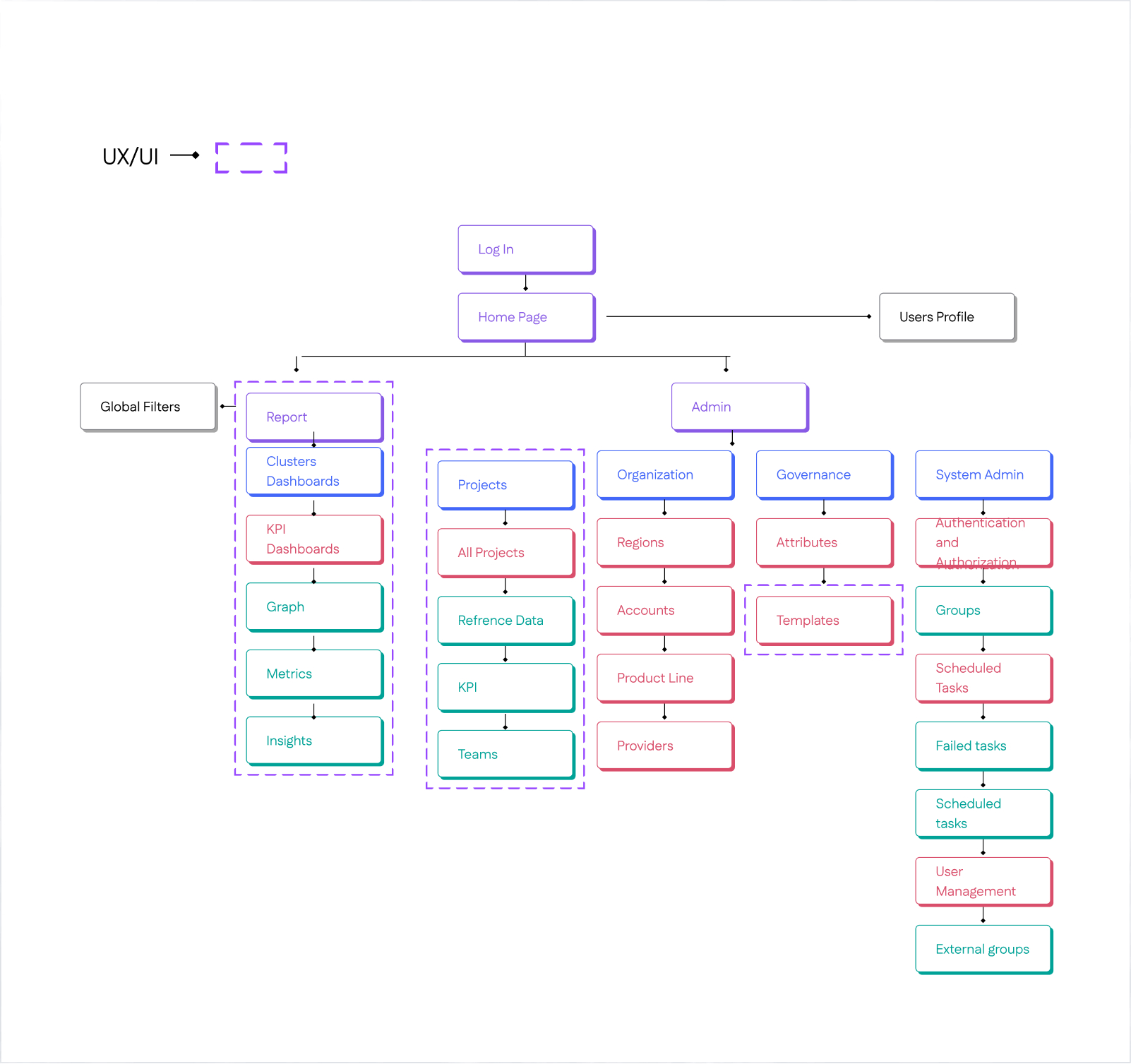
Information Architecture

Before starting design, I created an Information Architecture to organize user flows, clarify component relationships, establish scalable patterns, and align stakeholders early.
Exploring Early Directions

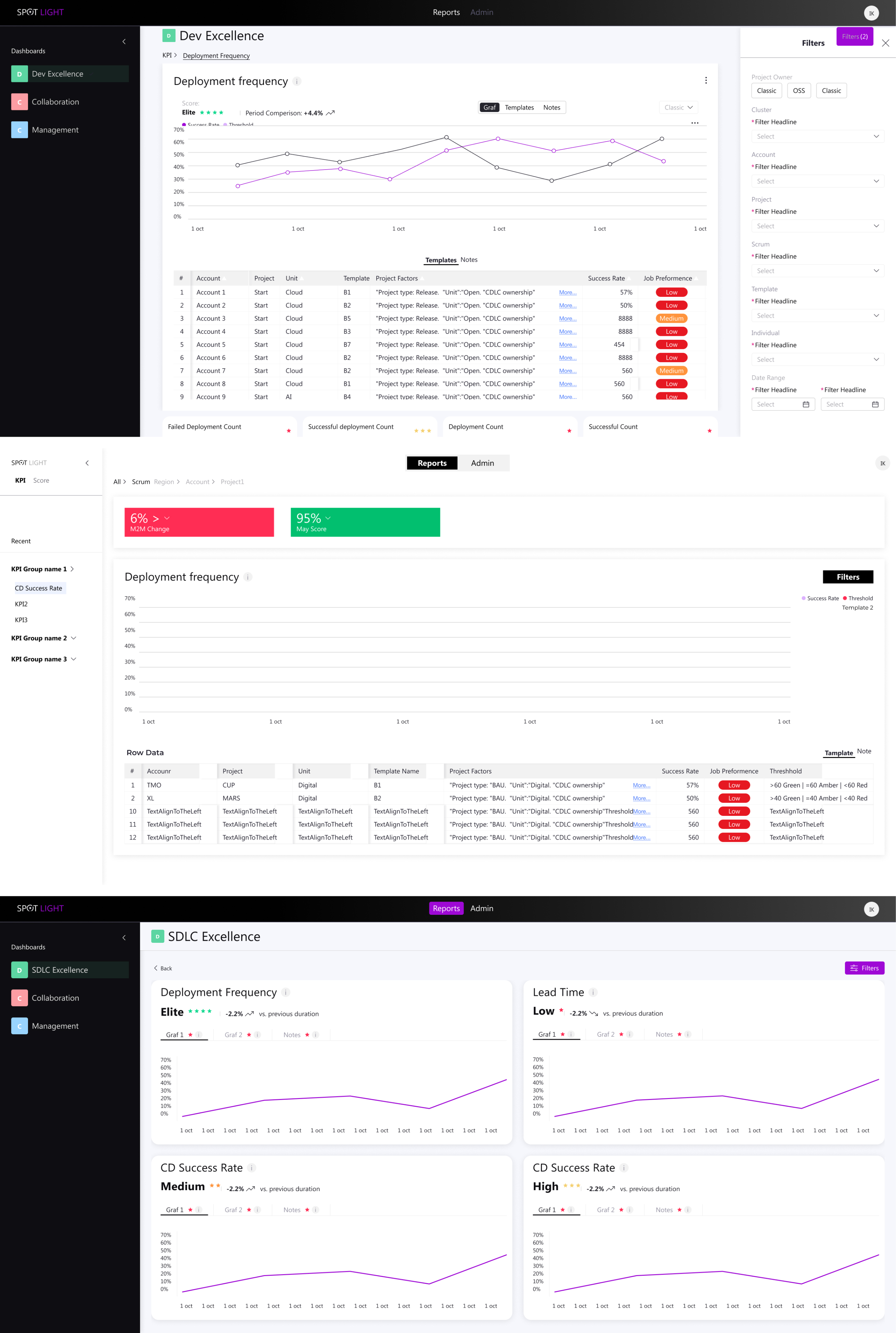
Initial Testing Mockups and Design Alternatives

Early Iterations for the dashboard Evolving from rigid splits to unified flows.

Initially split Reports & Admin (later deprioritized to heater), used vertical filters, and separated template/graph views with varying data viz counts—shifted after requirements ping-pong and Power BI constraints demanded a streamlined, horizontal layout.
Early Iterations For New Project Creation Flow

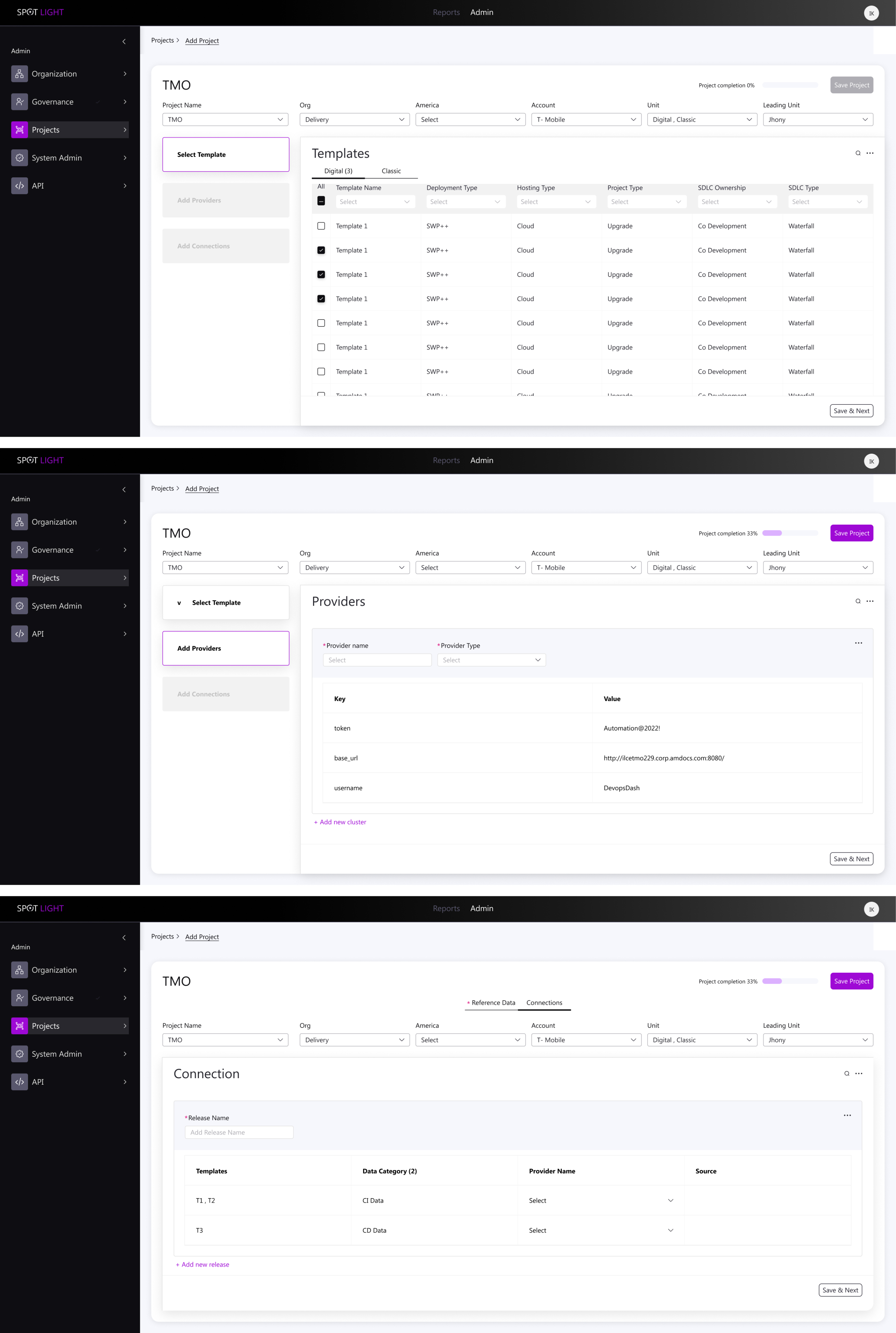
Started with dense, dependency-heavy forms (top-left mockups): Tried all-in-one screens and split tables, but interdependencies between steps (e.g., notifications → templates) made it overwhelming.

Explored 2-step variants (bottom mockups): Simplified to sequential inputs, but still felt fragmented.
Key Principles of the New System

  • KPI alignment with Cloud, AI, and DevOps best practices in the industry
  • Standardization of metrics – a unified “measurement bar” across accounts for simplicity and cross-project management
  • Full flexibility – enabling accurate measurement per account without sacrificing the unified organizational view

Redesign Foundation: Two Main Components

  1. Flexible, Smart Backend 

Glimpse from the new design

  • Accurate, standardized measurement across all accounts
  • Early detection of issues → significant cost savings
  • Unified, intuitive user experience for both managers and technical staff
  • Sustainable, flexible visualization framework based on joint research with the development team
Backend Design

Built simple admin KPI source connector for accounts/projects from CI/CD platforms 

What it does:

  • Pulls in real metrics from CI/CD platforms (Jenkins, GitHub, Bitbucket)
  • Grabs task tracking data (Jira tickets, sprints, velocity)
  • All configurable per account + per project

How I built it:

  • React-based config screens
  • 5 clean integrations ready to go
  • One admin dashboard to manage everything

Result: No more manual CSV uploads or custom scripts—admins just click, connect, and see live KPIs across their projects.
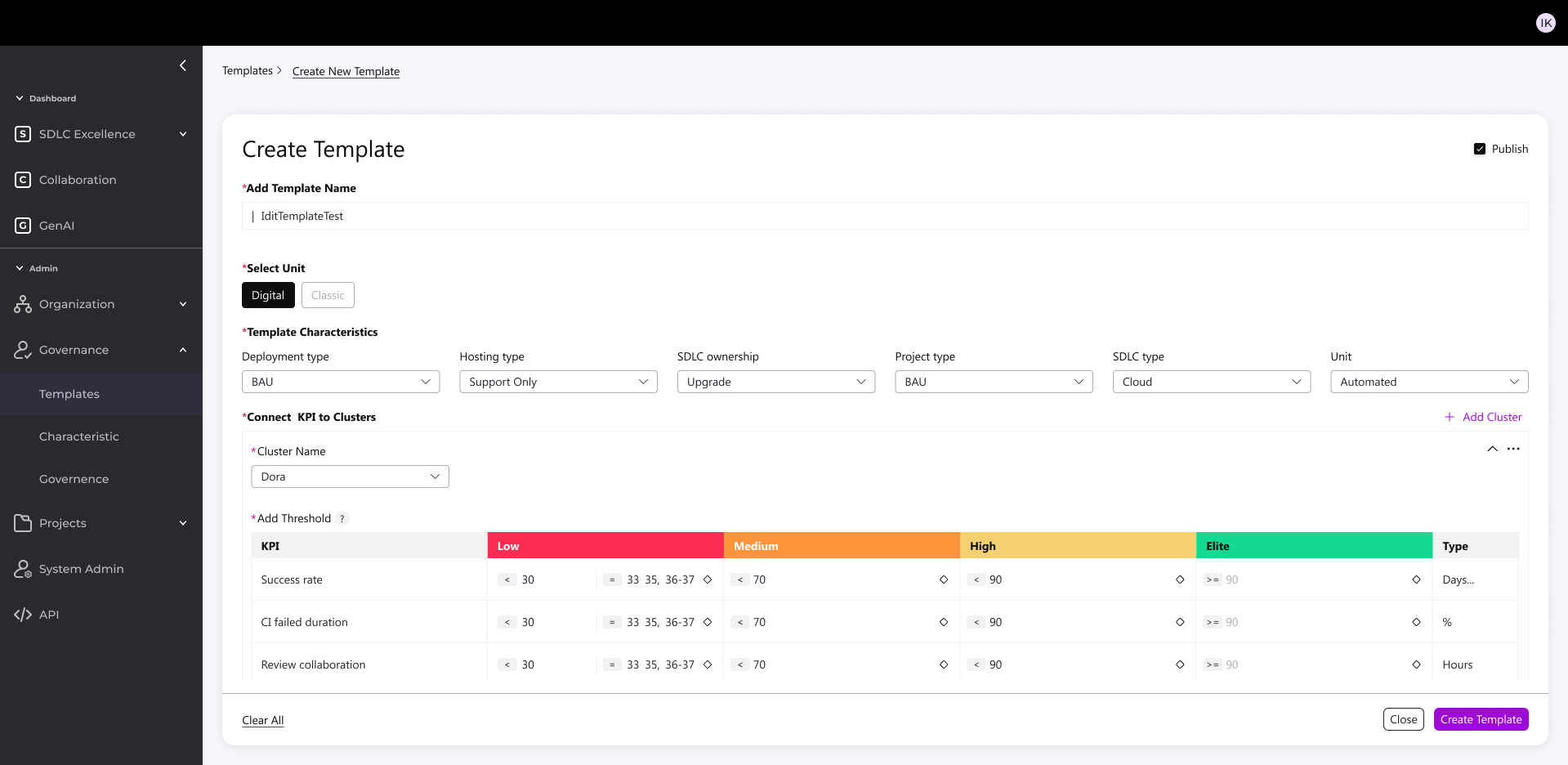
Feature Highlight: New Project Creation

Built simple admin KPI source connector for accounts/projects from CI/CD platforms 

The Challenge:

  • Creating a new project used to be:
  • Complex and highly technical
  • Time-consuming (connections, filtering, configuration)
  • Difficult to scale across diverse environments (Cloud, Legacy, Agile, Hybrid)

The Solution:

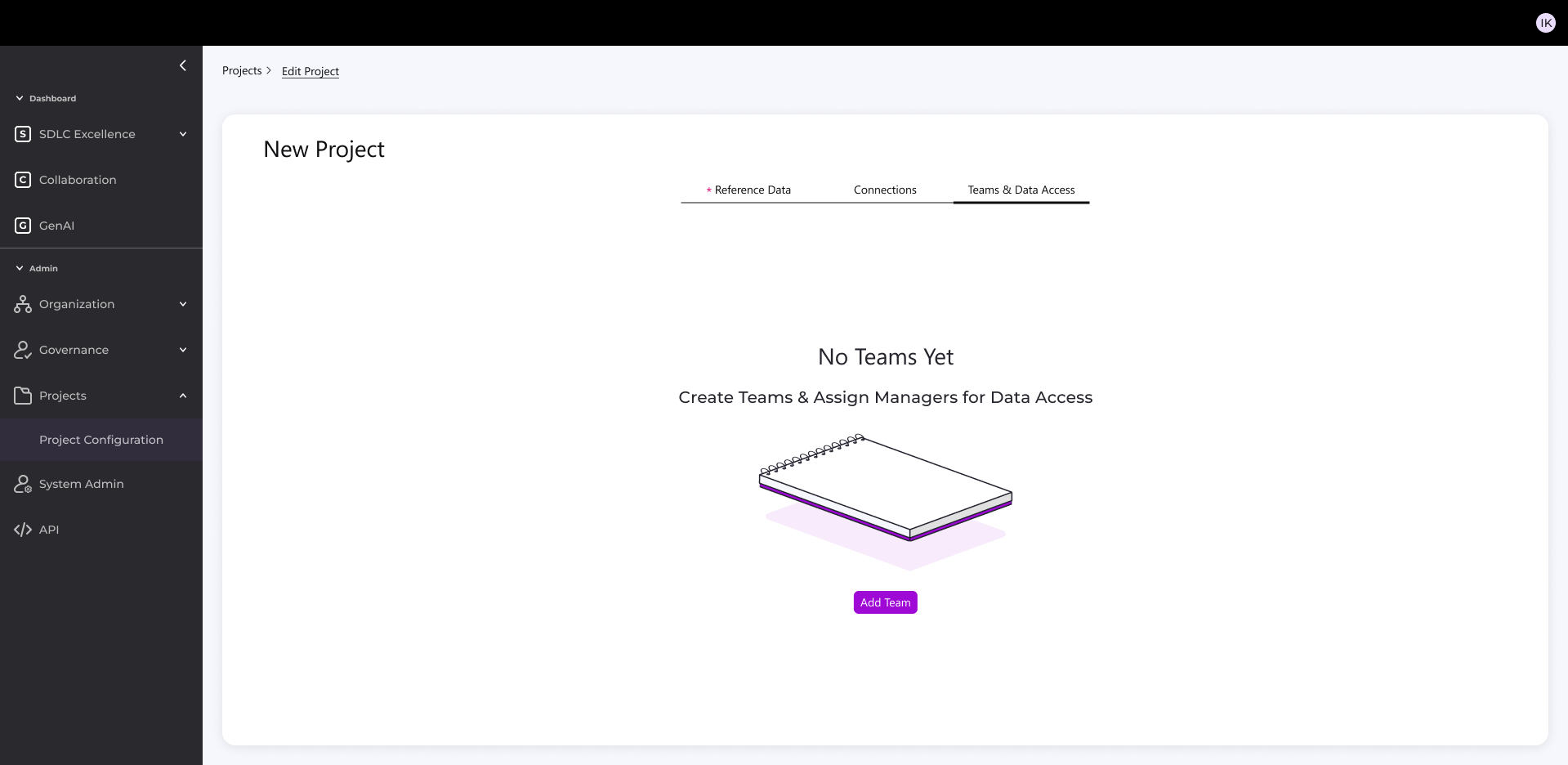
  • I designed a 3-step, intuitive process accessible to both technical and non-technical users:

1. Parameters & Template

Enter key account settings (tech, methodology, etc.)

System suggests the right template

Supports mixed environments (Legacy + Digital)

2. Data Connection & Configuration

Auto-connect to sources (Jenkins, Jira, GitHub, etc.)

Smart filtering → creates a “mini database” for efficient KPIs

Targeted queries down to product level with exclusions

Reuses existing connections to speed setup

3. Team & Notifications

Auto-link to distribution lists

Targeted project notifications

Outcome

  • 1 hour setup (even with complex validations)
  • Easy version cloning with validations
  • Balanced standardization + flexibility
  • Reduced technical overhead
  • More accessible, intuitive process for all users